Extract URL to Domain
Paste URLs, get clean root domains
Extract Domain From URL. Turn Messy Links Into Clean Domain Lists
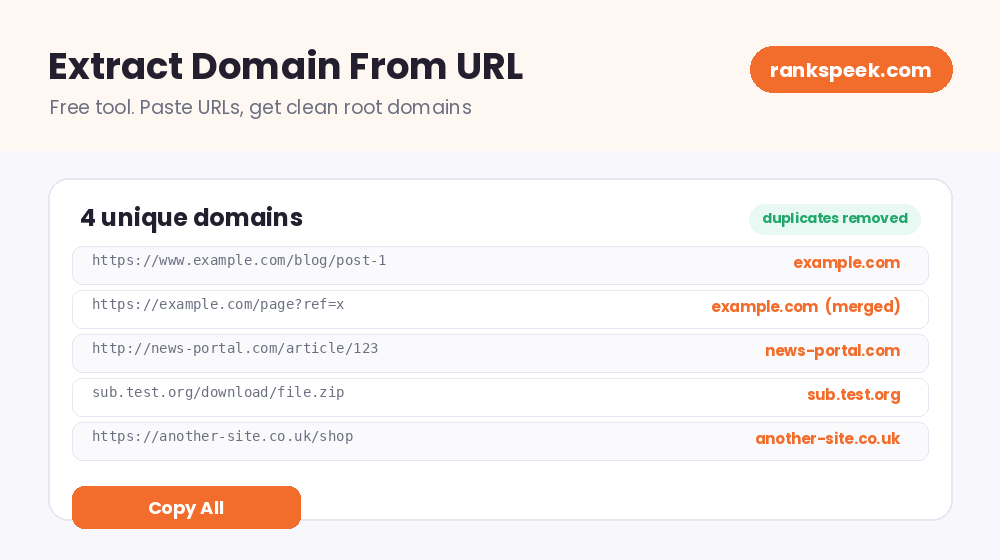
Learning how to extract domain from URL lists is one of those small skills that saves hours of boring work. A full URL carries the protocol, sometimes a www, the domain, and a long path with parameters. When you only need the domain names, cleaning them by hand is slow and error-prone. Our free extractor does it in one click: paste any list of URLs, and you get a clean list of unique domains, with the extras stripped away and duplicates removed automatically.
To extract a domain from a URL means to remove everything except the site's core name. For example, the URL https://www.example.com/blog/post-1 becomes simply example.com. A domain extractor tool does this for whole lists at once, stripping the protocol, www, paths, and parameters, and removing duplicate entries.
What Is a Domain Extractor Tool?
A domain extractor is a tool that reads a list of URLs and pulls out just the domain from each one. You paste your list, one URL per line, and the tool handles the cleanup: it removes the https:// or http:// at the start, drops the www prefix, cuts off everything after the domain (paths, file names, and tracking parameters), and merges repeated domains into a single entry. What comes out is a tidy, duplicate-free list you can copy straight into another tool or a spreadsheet.
The Parts of a URL
Understanding what gets removed makes the tool easy to trust. A typical URL has four parts:
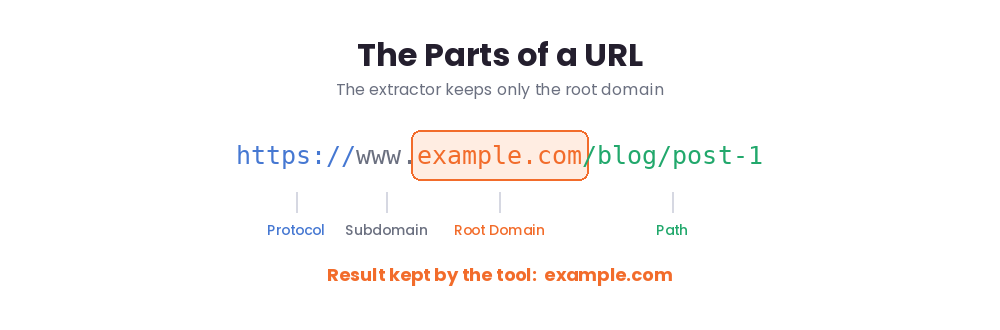
- Protocol. The https:// or http:// at the start, which tells the browser how to connect.
- Subdomain. A prefix like www. The tool removes www automatically; other subdomains, like blog.example.com, are kept as they are, since they can point to separate sites.
- Domain. The core name, like example.com. This is what the extractor keeps.
- Path and parameters. Everything after the domain, like /blog/post-1?ref=x. The tool strips all of it.
How to Use the Extract Domain Tool
No technical skill needed:
- Step 1. Paste your URLs. Drop your list in the box above, one URL per line. Links with or without https:// both work.
- Step 2. Extract. Click the button and the tool processes every line at once.
- Step 3. Copy your list. You get clean, unique domains, ready to use anywhere.
When You Need a Domain Extractor
This tool shines whenever URLs pile up faster than you can clean them:
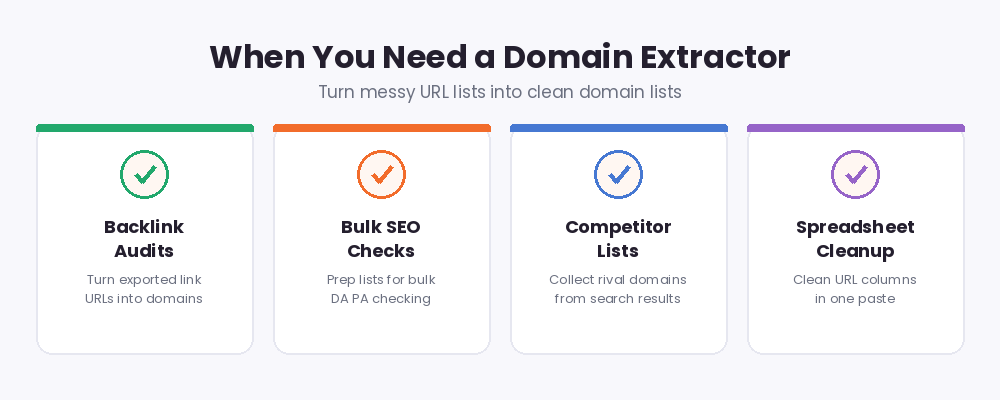
- Backlink audits. Backlink exports contain thousands of full URLs. Extract the domains to see which unique sites actually link to you.
- Bulk SEO checks. Tools like a bulk DA PA checker want domain lists, not long URLs. Clean your list here first, then paste it there.
- Competitor research. Collect URLs from search results or reports, then reduce them to a clean list of competitor domains.
- Outreach lists. Turn scattered article links into a de-duplicated list of sites to contact.
- Spreadsheet cleanup. Paste a messy URL column, extract, and paste the clean domains back. Done in seconds.
Why Duplicate Removal Matters
The quiet hero of this tool is de-duplication. Ten URLs from the same website all collapse into one domain entry. That matters because in SEO, unique domains usually tell the real story: ten links from one site count as one referring domain, and outreach lists should contact each site once, not ten times. The extractor merges duplicates automatically, so your final list shows each domain exactly once.
No Formulas, No Regex Needed
The manual alternatives are painful. In a spreadsheet, extracting domains means writing long formulas full of FIND and MID functions that break on unusual URLs. Programmers reach for regex patterns, which work but take time to write and test. And editing each URL by hand is out of the question for any real list. A one-click extractor replaces all of that: no formulas to debug, no patterns to learn, and no risk of a typo slipping into your data. Paste, click, copy. That is the whole workflow, whether your list has five URLs or five hundred.
Extracting Domains in 2026
URL lists keep getting messier in 2026. Links now arrive wrapped in tracking parameters, campaign tags, and long generated paths, which makes manual cleanup slower than ever. At the same time, SEO work leans heavily on domain-level analysis: referring domains, domain authority, and domain-level spam checks all start with a clean list of names. A one-click extractor turns that messy first step into no step at all, so you can spend your time on the analysis instead of the cleanup.
Tips for Clean Domain Lists
- Paste one URL per line for the most reliable results.
- Mixed lists are fine; entries with and without https:// are both handled.
- After extracting, run your list through a bulk DA PA check to size up every domain at once.
- Keep a master spreadsheet of extracted domains so your research builds up over time.
Related Free SEO Tools on RanksPeek
Your clean domain list works perfectly with these free tools. Just click any button to open it:
Helpful resource: To learn more about how URLs are structured, visit MDN Web Docs, the trusted reference for web standards →
Frequently Asked Questions
How do I extract a domain from a URL?
Paste your URLs into the tool above and click Extract Domains. Each URL is reduced to its domain, with the protocol, www, path, and parameters removed, and duplicates merged.
How many URLs can I paste at once?
You can paste a whole list at once, one URL per line. The tool processes every line together and returns one clean list.
Does the tool remove duplicate domains?
Yes. If several URLs come from the same website, they merge into a single entry, so each domain appears exactly once in the result.
What happens to subdomains?
The www prefix is removed automatically. Other subdomains, like blog.example.com, are kept as they are, because they can represent separate sites.
Do the URLs need https:// at the start?
No. Entries with https://, http://, or no protocol at all are all handled correctly.
Paste your URL list above and get a clean, duplicate-free domain list in one click.