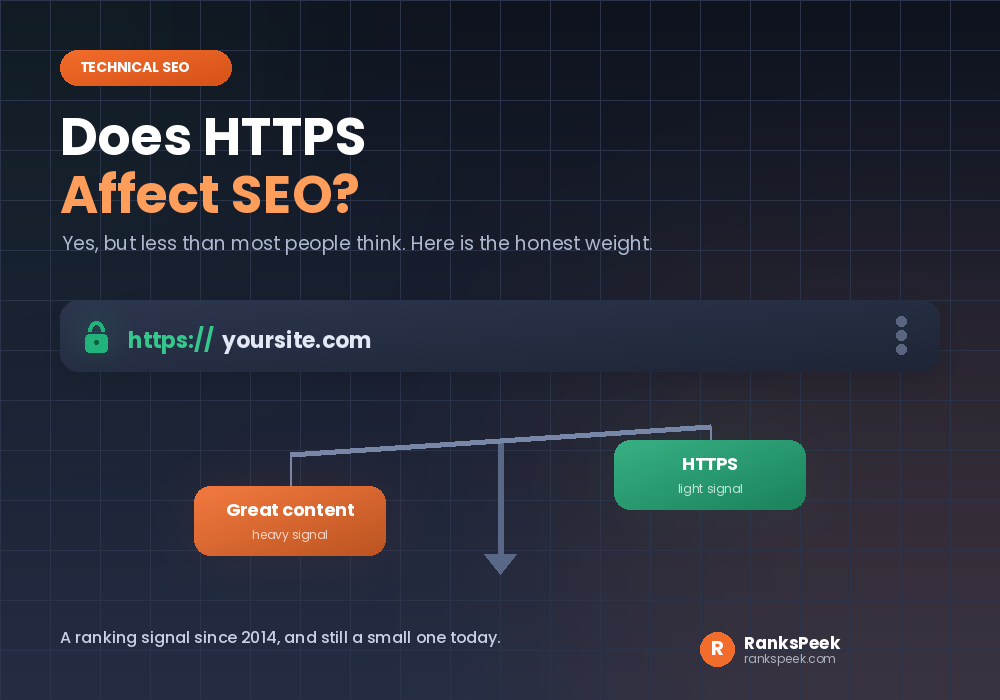
Does HTTPS affect SEO is a question with a short answer and a long footnote. Yes, it does. HTTPS has been a ranking signal since 2014, so a secure site holds a small edge over an insecure one. However, the effect is smaller than most headlines suggest. So the real question is not whether HTTPS affects SEO, but how much, and what else it quietly changes along the way.
Quick answer: Does HTTPS affect SEO? Yes, in two ways. Firstly, HTTPS is a small direct ranking signal and part of Google’s page experience signals. Secondly, and more importantly, it removes the browser “not secure” warning and builds trust, which protects your traffic and conversions. It will not, however, rescue weak content.
Does HTTPS Affect SEO? The Short Answer
HTTPS is the secure version of HTTP, and the S simply stands for secure. When a site uses it, the browser shows a padlock, and the connection between visitor and server is encrypted. So data cannot be read or altered on the way.
To be precise, HTTP is the older way browsers and servers talk to each other, and it sends data in the open. HTTPS wraps that same conversation in encryption. So the pages look identical, yet the journey of the data is completely different.
Google confirmed HTTPS as a ranking signal back in 2014. Since then the weight has not increased, so it remains a light signal. Still, the indirect effects have grown, because browsers now openly warn visitors when a site is insecure. Consequently, the honest answer is that HTTPS affects SEO both directly and, more powerfully, indirectly.
HTTP vs HTTPS: What the Visitor Sees
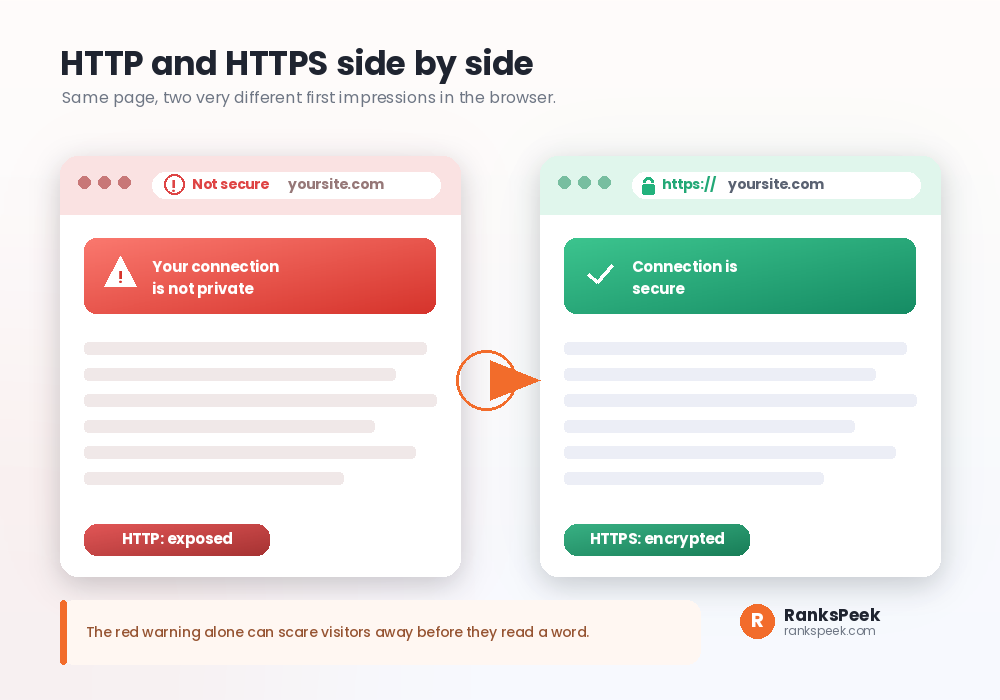
The difference starts before a single word is read. An HTTPS page shows a small padlock and a calm address bar. An HTTP page, by contrast, shows a “not secure” label, and on sensitive pages a full red warning.
Modern browsers made this gap impossible to ignore. In 2018 Chrome started labelling plain HTTP pages as not secure, and other browsers followed. So today an insecure site announces its own weakness in the address bar.
That warning does real damage. Firstly, it scares visitors away, so your traffic drops. Secondly, those lost visits weaken the behaviour signals that support rankings. Therefore an insecure site can slide down the results without ever being penalised directly.
Does HTTPS Affect SEO as a Ranking Signal?
Yes, but keep it in proportion. HTTPS is one signal among many, and Google groups it inside its page experience signals alongside things like Core Web Vitals. So it behaves like a tie breaker rather than a lever.
Here is the useful way to picture it. When two pages are similarly helpful, the secure one has a slight edge. However, a secure page with thin content will still lose to an insecure page with excellent content, because relevance and quality carry far more weight. Our guide on how long SEO takes to see results explains why these signals build slowly.
How Much Does HTTPS Actually Weigh?
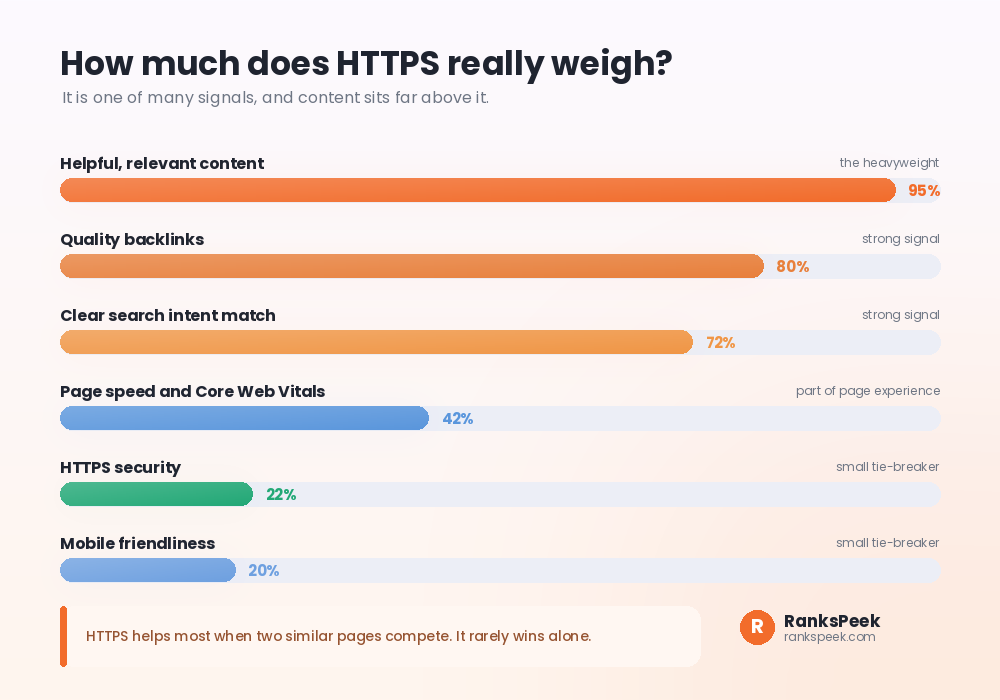
Think of ranking as many signals stacked together. Content and relevance sit at the top. Quality backlinks follow. Page speed and mobile friendliness matter too. HTTPS sits near the bottom of that stack as a small, steady factor.
That placement is not a reason to skip it. Rather, it is a reason to treat HTTPS as a quick fix you do once, then forget. Secure the site, and spend your real energy on content and links, which is where rankings are truly won.
Does HTTPS Affect SEO Through SSL Certificates?
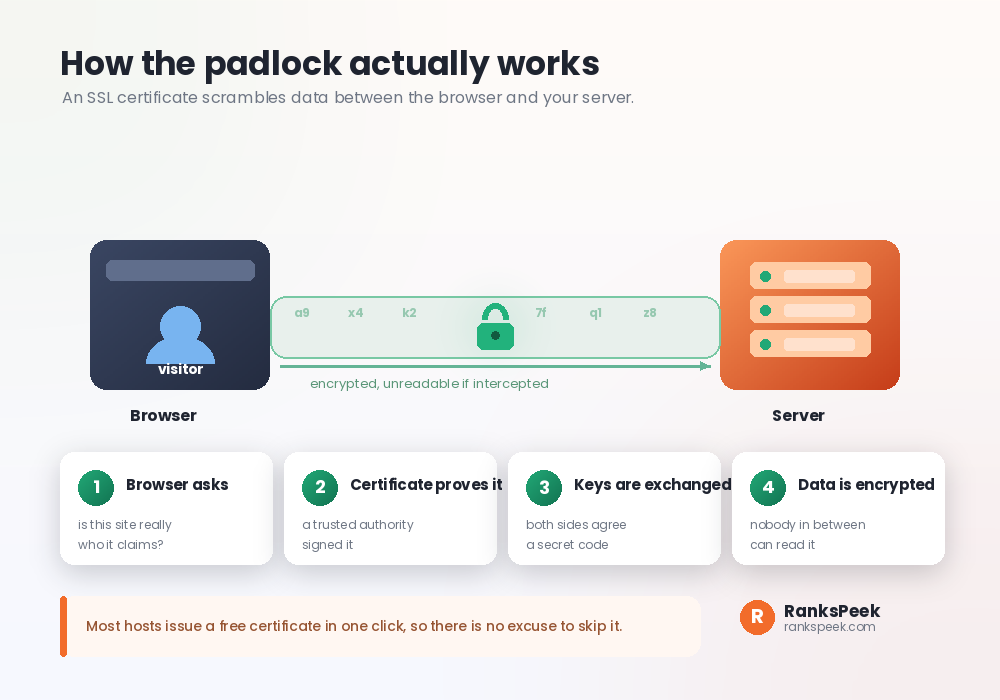
The padlock comes from an SSL certificate, sometimes called a TLS certificate. In plain terms, it does two jobs. Firstly, it proves your site is really yours, because a trusted authority signs it. Secondly, it encrypts the data flowing between the browser and your server.
One detail confuses people, so let us clear it. SSL and TLS are effectively the same thing. TLS is simply the newer version, yet the older name SSL certificate stuck, so both terms describe the same padlock.
The process runs in a few quick steps. The browser asks who you are. The certificate answers with proof. Both sides then agree a secret code. After that, all data travels scrambled, so anyone intercepting it sees nonsense.
Getting a certificate used to be a chore. Today, thanks to free authorities like Let’s Encrypt, most hosts issue one automatically or with a single click. So there is genuinely no cost barrier left.
Does HTTPS Affect SEO Enough to Fix Everything? No
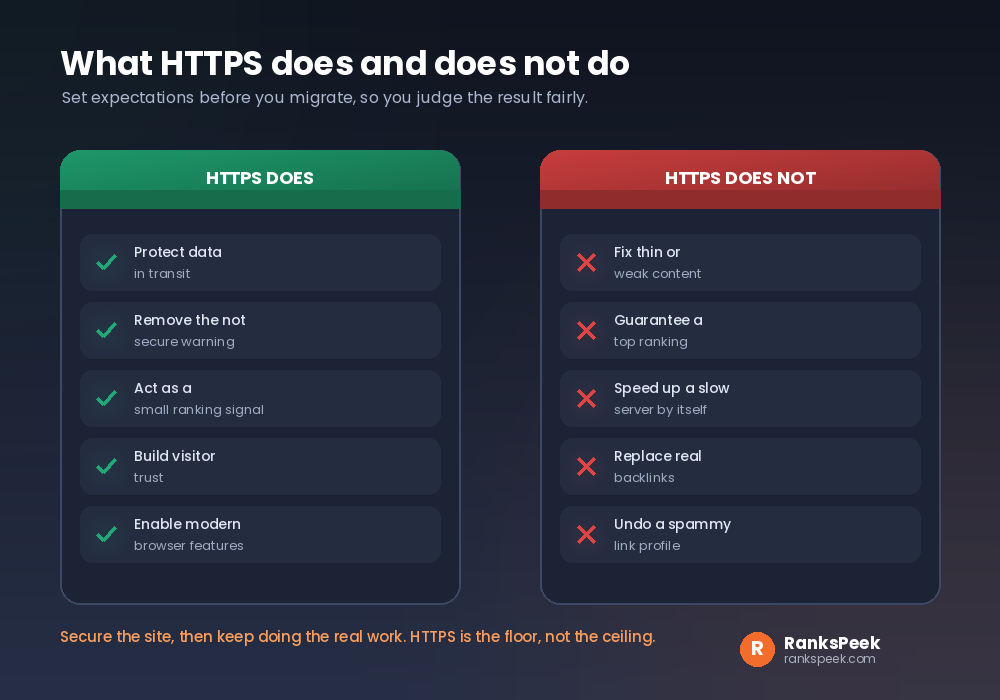
This is where people get their hopes too high. HTTPS protects data, clears the warning, adds a small ranking signal, and builds trust. Those are real wins. However, it stops there.
There is a speed angle too, which surprises people. Secure connections unlock newer, faster protocols like HTTP/2 and HTTP/3, and those protocols simply refuse to run over plain HTTP. So in a roundabout way, moving to HTTPS can open the door to a faster site. Even so, HTTPS by itself is not a speed fix.
HTTPS will not fix thin content. It will not guarantee a top ranking. It will not speed up a slow server by itself, and it will not replace real backlinks. So if your pages struggle for other reasons, securing them changes the padlock, not the problem. For that side, our guide on why your WordPress site is slow is a better starting point.
How to Switch From HTTP to HTTPS Safely
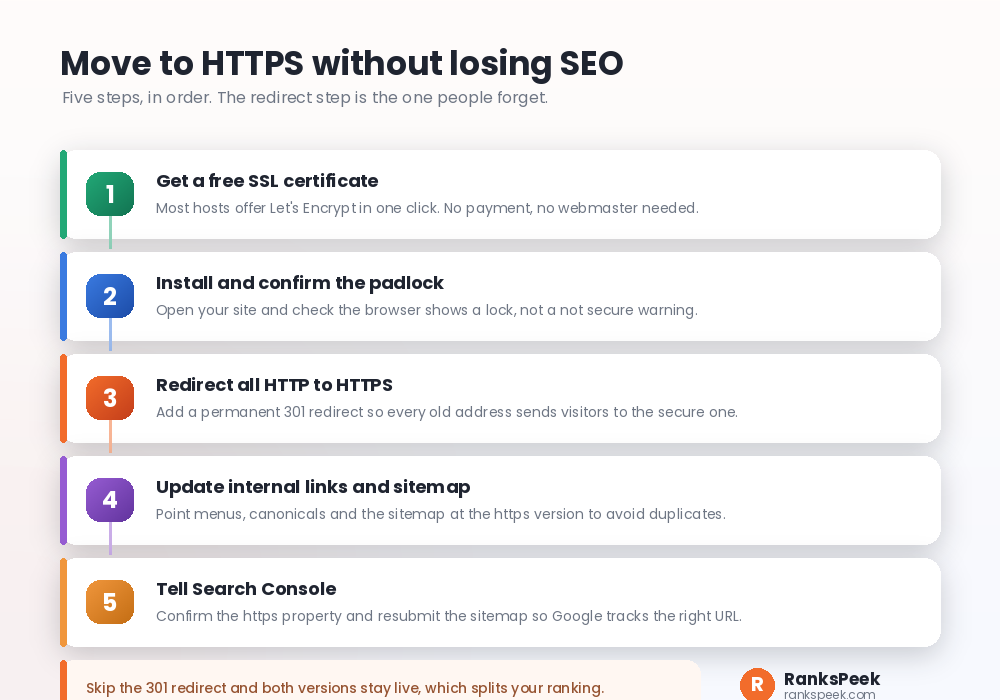
Migrating is straightforward, as long as you do the steps in order. The redirect is the step people skip, and skipping it causes duplicate pages.
- Get the certificate. Firstly, enable the free SSL option in your hosting panel.
- Confirm the padlock. Then open your site and check the lock appears with no warning.
- Redirect HTTP to HTTPS. Next, add a permanent 301 redirect so every old address points to the secure one.
- Update links and sitemap. Also fix internal links, canonicals and the sitemap to use the https version.
- Tell Search Console. Finally, confirm the https property and resubmit your sitemap.
That third step matters most for SEO. Without the 301 redirect, both HTTP and HTTPS versions stay live, which splits your signals across two addresses. Our free Sitemap Generator helps with step four, and you can confirm the change with our SEO Checker.
A Duplicate Lesson From Our Own Site
We learned the redirect lesson the hard way on RanksPeek. One of our tool pages triggered a duplicate warning in Search Console, where Google chose a different address than we did.
The cause was a mismatch. Our internal links, our sitemap and our canonical tag did not all agree on one address. Firstly we checked the canonical tag. Secondly we checked the sitemap. Eventually we aligned all three on the same secure, non www version, then requested indexing, and the warning cleared.
The lesson applies directly to HTTPS. A half finished migration, where old HTTP links survive, creates exactly this kind of duplicate. So finish the redirect properly, and make every signal point at one https address. If canonicals confuse you, start with our explainer on what a canonical URL is in SEO.
HTTPS, AI Overviews and 2026
Search now shows AI Overviews and generated summaries, and assistants read pages before they answer. Meanwhile, secure crawling remains a basic expectation. So a site that still serves insecure pages looks dated to both users and machines.
Nothing here is a new trick. Indeed, that is the point. Secure delivery, fast pages and clear content are the same fundamentals that always mattered, now simply non negotiable. For the wider view, read our take on whether SEO is dead or evolving in 2026 and our roundup of the latest SEO trends.
Frequently Asked Questions
Does HTTPS affect SEO rankings directly?
Yes, but only a little. It has been a light ranking signal since 2014, and it sits inside Google’s page experience signals. Content and links matter far more.
Will switching to HTTPS instantly boost my rankings?
No. Any direct gain is small and slow. The bigger benefit is protecting the traffic you already have by removing the not secure warning.
Does HTTPS affect SEO for a small blog with no shop?
Yes. Even without payments, browsers flag HTTP pages as not secure, which scares readers. So HTTPS still protects trust and traffic on any site.
Is an SSL certificate expensive?
No. Free certificates from authorities like Let’s Encrypt are standard now, and most hosts install one automatically. There is no reason to pay for a basic one.
What happens if I forget the HTTP to HTTPS redirect?
Both versions stay live, so Google may see duplicates and split your signals. Always add a permanent 301 redirect from every HTTP address to its HTTPS match.
Does HTTPS affect SEO on pages with no forms or logins?
Yes. The ranking signal and the not secure warning apply to every page, not only to pages that collect data. So the whole site should move to HTTPS, not just the checkout.
Does HTTP/2 or HTTP/3 change any of this?
They improve speed, and both require HTTPS to run. So moving to HTTPS is also the doorway to those faster protocols.
Final Thoughts
So does HTTPS affect SEO? Yes, as a small direct signal and a large trust signal. Treat it as a one time fix rather than a growth strategy. Secure the site, complete the redirect, then pour your energy into content and links. Start by checking your current setup with our free SEO Checker.