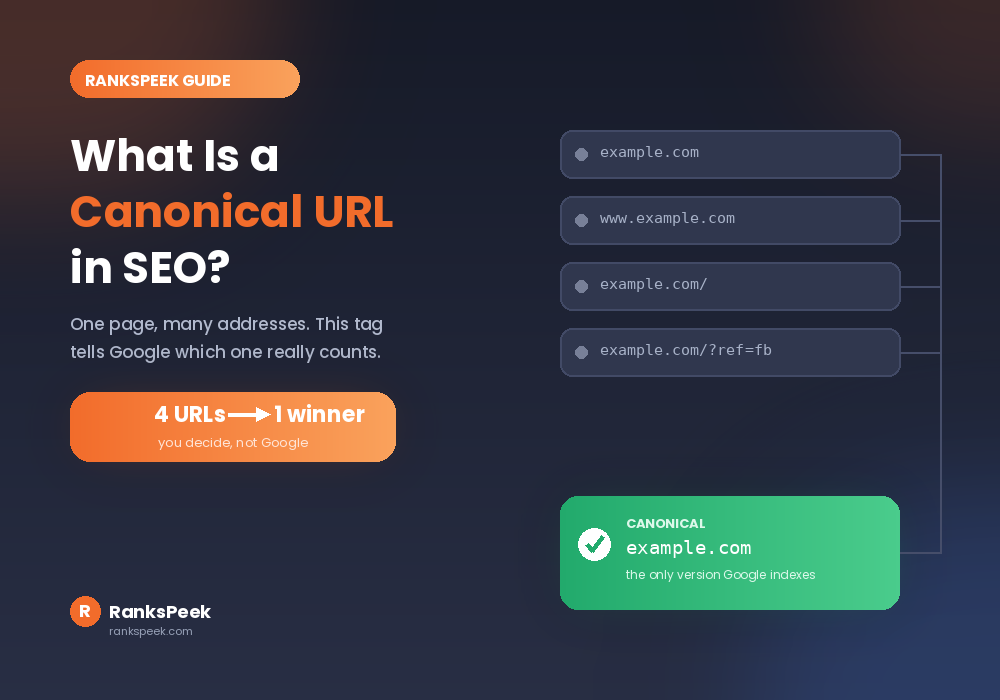
Google found four versions of your page and picked the wrong one. Sound familiar? That is exactly what canonical tags exist to prevent. So what is a canonical URL in SEO, and why does it decide which of your pages Google actually shows? This guide explains it in plain language, covers every situation that needs one, and shares the real canonical problem we fixed on this very website.
A canonical URL is the one version of a page you want Google to index and rank when several URLs show the same content. You declare it with a canonical tag in your page head. Google treats that tag as a strong hint, not a command, so it can still pick a different version if your other signals disagree.
What Is a Canonical URL in SEO?
A canonical URL is the master version of a page. When the same content sits at several addresses, you pick one as the real one. Google then indexes that version instead of the copies. That, in short, is what is a canonical URL in SEO.
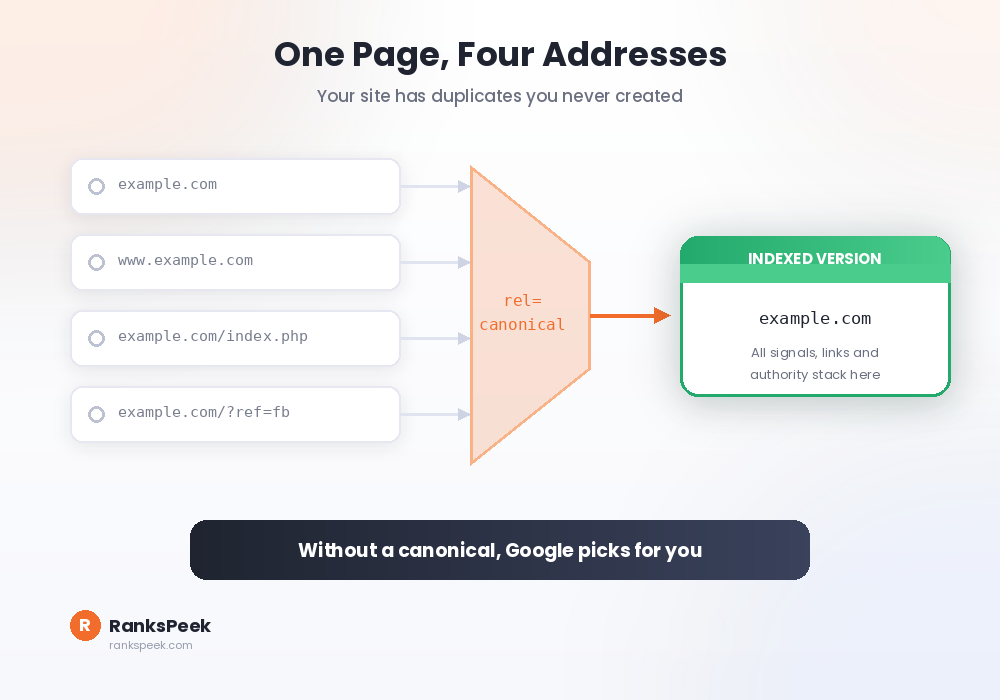
Here is the surprise for most beginners. Your site probably has duplicate URLs already, without you creating a single copy. The same homepage can load at example.com, www.example.com, example.com/, and example.com/index.php. To a human, that is one page. To a crawler, that is four pages with identical content.
Why Canonical URLs Matter for SEO
Three problems appear when duplicates go unmanaged. First, your pages compete with each other. Your own copies split the ranking signals that should stack on one page. Second, backlinks scatter. Ten links spread across four versions leave you with four weak pages instead of one strong one.
Third, Google chooses for you. It always picks one version to index, and without guidance it may pick the wrong one. Consequently, the page you optimised can vanish. Meanwhile, a stray variant ranks in its place. A canonical tag simply removes that guesswork. You can see the canonical and robots tags any page serves with our free Meta Tags Analyzer.
Canonical URL vs Canonical Tag: The Difference
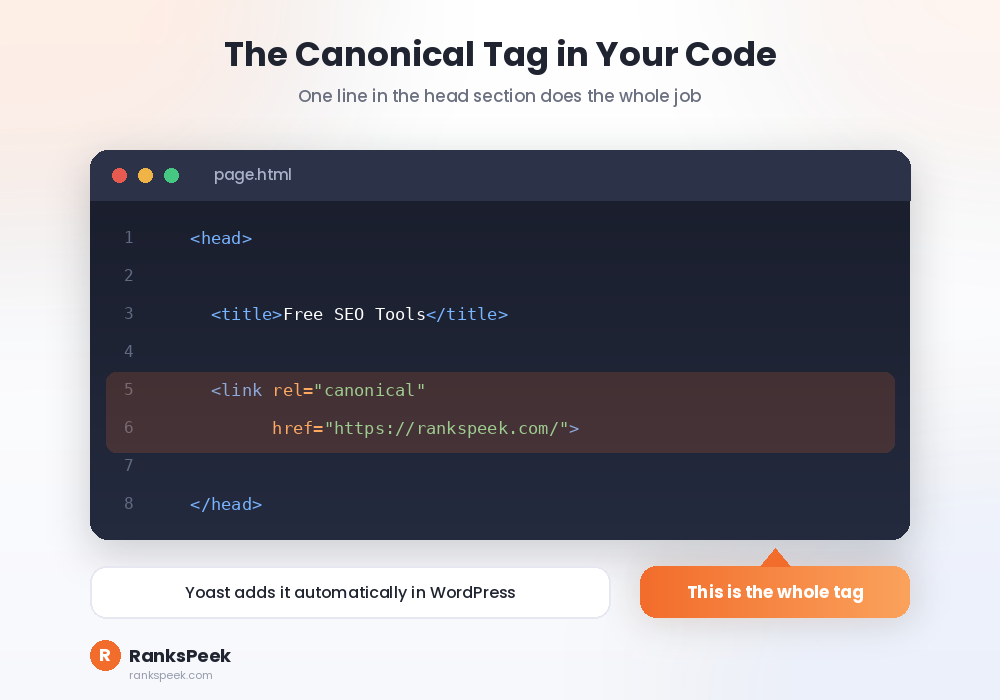
People mix these two up constantly when learning what is a canonical URL in SEO. The split is simple. The canonical URL is the destination, meaning the address you want ranked. The canonical tag is the messenger, meaning the line of code that announces it. That line lives in your page head.
One more detail deserves emphasis, because most guides skip it. Google treats the canonical tag as a hint, not an order. Its documentation on consolidating duplicate URLs explains the reason. Google weighs several signals together: your sitemap, your internal links, and your redirects. So if those signals fight your tag, Google can overrule it.
5 Situations That Need a Canonical URL
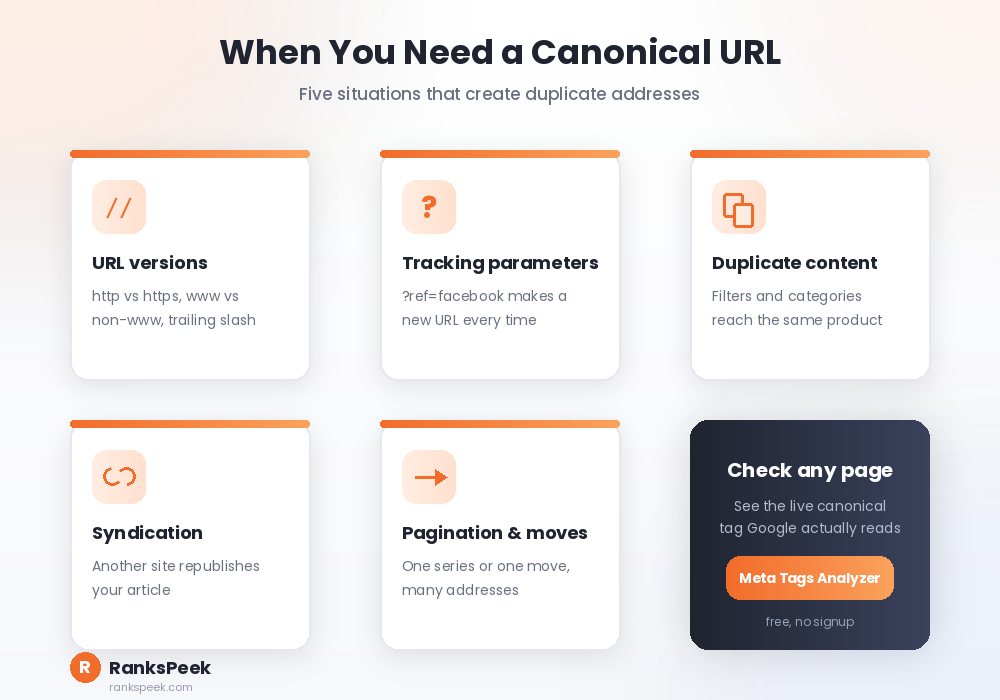
URL versions come first. Your site may answer on http and https, with and without www, with and without a trailing slash. Pick one and canonicalise the rest to it.
Tracking parameters come second. Links like yoursite.com/page?ref=facebook create endless variants of one page. Third, duplicate or similar content. Shops face this constantly through filters, sorting, and category paths. All of them reach identical products.
Fourth, syndication. If another site republishes your article, a canonical tag pointing back to your original tells Google who wrote it first. Fifth, pagination and site migrations. One series or one move can spawn many addresses for a single piece of content.
Our Real Canonical Problem (And the Fix)
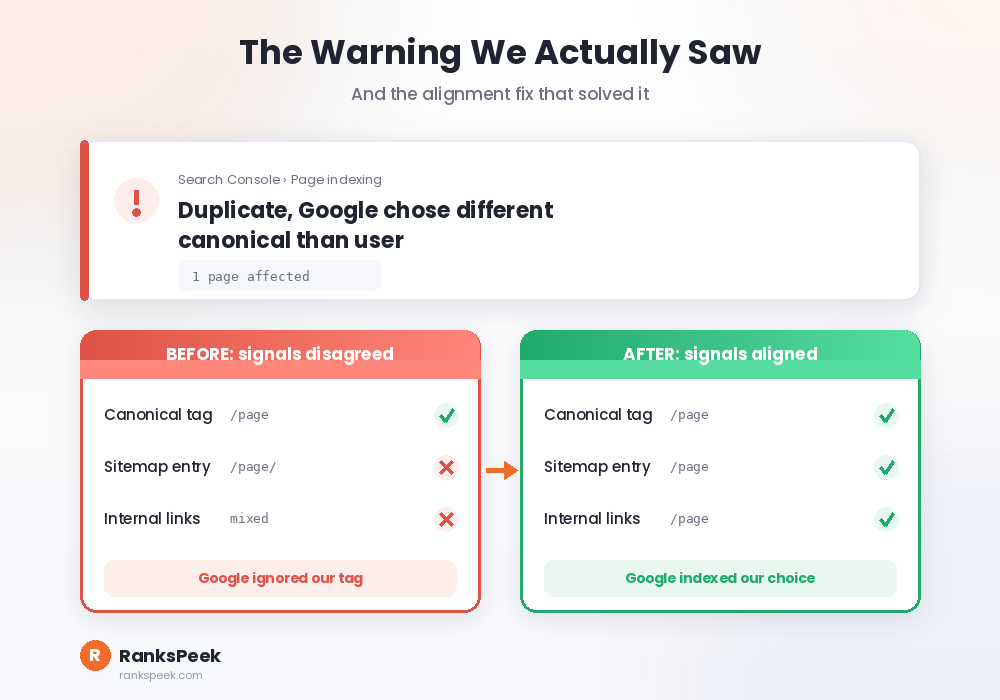
This is not theory for us. While checking Search Console for RanksPeek, one of our tool pages showed the warning “Duplicate, Google chose different canonical than user”. Translation: we declared one URL, and Google decided a different version deserved the spot.
The cause was our own signals disagreeing. Our internal links and our sitemap did not consistently point at the version we declared. So Google trusted the pattern it saw over the tag we wrote. The fix was alignment, not clever code. We made every internal link, the sitemap entry, and the canonical tag agree on one address, then requested indexing again.
The lesson applies to every site. A canonical tag is only as strong as the signals around it. If your sitemap says one thing and your links say another, Google follows the crowd. Additionally, if your pages are missing from search entirely, our guide on why a website is not showing up on Google covers the wider checklist.
How to Add a Canonical URL
WordPress users have the easiest path. An SEO plugin like Yoast adds self-referencing canonical tags automatically, so most pages need nothing from you. To override one, open the post, find the advanced section of the SEO panel, and enter your chosen canonical URL there.
Outside WordPress, you add the tag manually inside the head of each page. Additionally, servers can send the same instruction through an HTTP header. That is the standard approach for files like PDFs, which have no head section. Whichever method you use, verify the result rather than trusting the setting. Check the live page with our Meta Tags Analyzer, then scan the whole site with our SEO Checker to catch pages that slipped through.
Common Canonical Mistakes
Pointing every page at your homepage is the most damaging error, because it tells Google your inner pages are not worth indexing. Similarly, canonicalising to a redirected or broken URL wastes the signal entirely.
Watch for contradictions too. A page carrying both a canonical tag and a noindex tag sends conflicting orders. Canonical chains also confuse crawlers, where A points to B and B points to C. Finally, remember that a canonical tag is not a redirect. Visitors still land on the copy, so use a 301 redirect when you actually want people moved.
What Changed in 2026
Canonical clarity matters more this year, because AI answer engines cite specific URLs. When several versions of your page exist, a fragmented signal can send a citation to the wrong address. That citation then loses its value. Clean canonicals keep credit consolidated on the page you actually maintain.
Additionally, Google grew stricter with crawl budget for thin sites. Duplicate URLs waste that budget on copies instead of your real content. Consequently, tidy canonicalisation now speeds up indexing for new pages, which was far less noticeable a few years ago.
Frequently Asked Questions
What is a canonical URL in SEO, in one sentence?
It names the single version of a page that Google should index and rank. You use it when the same content sits at more than one address.
Does a canonical tag pass link authority?
Yes, and that is the point of it. Signals from the duplicate versions consolidate onto the canonical version. That is why fixing duplicates often strengthens the page you kept.
Is a canonical tag the same as a 301 redirect?
No. A redirect physically moves visitors to another URL. A canonical tag only advises search engines. Use a redirect when the old page should disappear. Use a canonical when both URLs must stay live.
Why does Search Console say Google chose a different canonical?
Because your signals disagree. Your internal links, sitemap, or redirects point somewhere else. So Google follows the stronger pattern instead of your tag. Align all three, then request indexing again.
Should every page have a canonical tag?
Yes, and a self-referencing one is fine. Most SEO plugins add it automatically. It costs nothing, and it protects your pages from parameter-based duplicates you never planned for.
Now you know what a canonical URL in SEO really does: it tells Google which version counts, and it keeps your authority in one place. Check the canonical tag on any page with our free Meta Tags Analyzer, then explore all 17 free tools on RanksPeek to keep your technical SEO clean.
The RanksPeek Team builds free SEO tools that help website owners check authority, backlinks, keywords, speed and more, with no signup needed. Explore all 17 free tools →