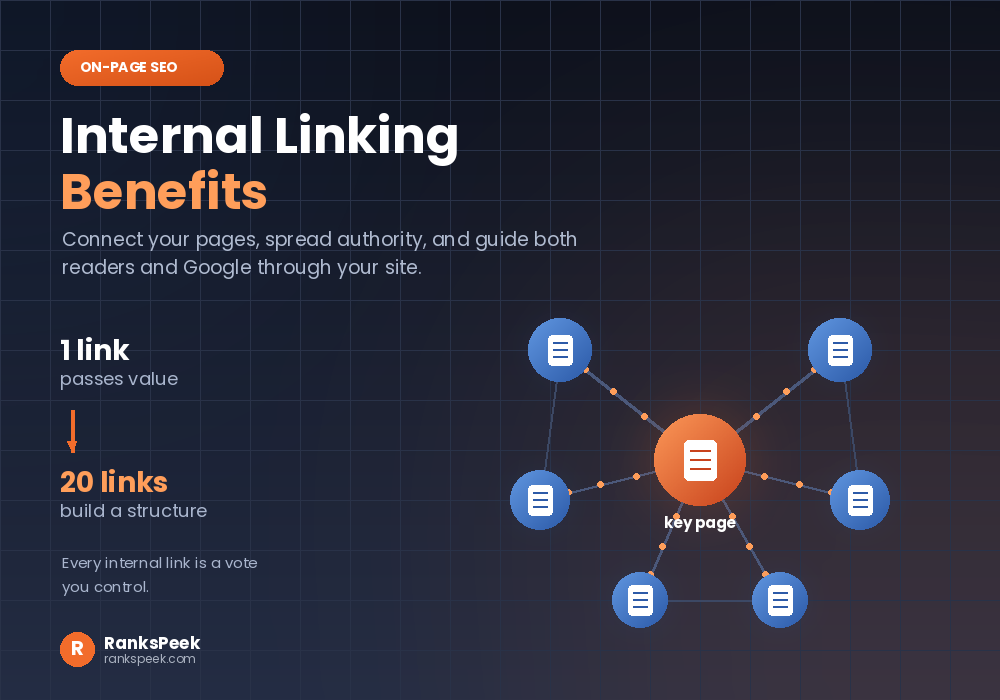
Internal Linking Benefits are some of the easiest wins in all of SEO, because they cost nothing and you control every one. An internal link simply connects one page of your site to another page on the same site. Done well, those links spread ranking authority, help Google crawl your pages, and guide readers deeper into your content. So this guide walks through the real internal linking benefits, and exactly how to capture them.
Quick answer: The main internal linking benefits are spreading ranking authority between your pages, helping Google crawl and index your site, signalling which pages matter most, and keeping readers engaged longer. Unlike backlinks, you control every internal link yourself, so it is the easiest lever in SEO to pull well.
What Is Internal Linking?
An internal link is simply a link from one page on your website to another page on the same website. For example, the menu at the top of your site uses them. So does a blog post that points to a related guide, or a product page that links to a size chart.
They sound almost too simple to matter. Yet internal links do three jobs at once. Firstly, they help people move around your site. Secondly, they help search engines discover and understand your pages. Thirdly, they pass ranking value from one page to another. Consequently, a smart internal linking habit quietly improves your whole site over time.
Internal Links vs External Links
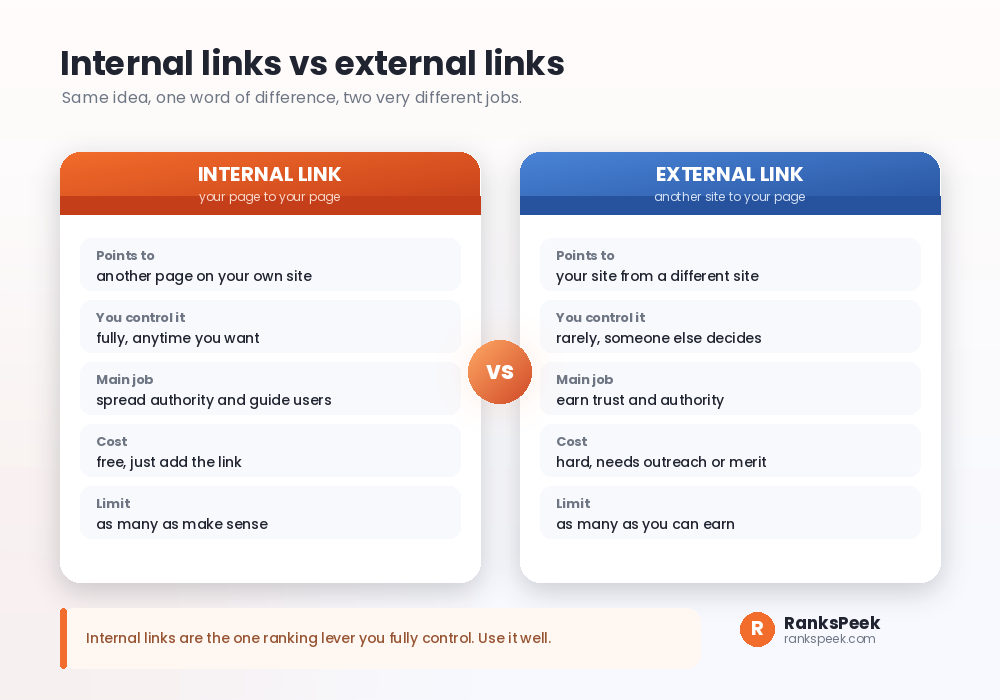
Firstly, it helps to be clear on the difference, because the two get confused. An internal link points from your page to another of your own pages. An external link, often called a backlink, points to your site from a different site.
The key contrast is control. You decide every internal link yourself, instantly and for free. Backlinks, by contrast, depend on someone else choosing to link to you, which is far harder to earn. Our guide on how many backlinks you need to rank covers that external side. Here, the point is simpler: internal links are the one ranking lever entirely in your hands, so it is worth using well.
The Six Main Internal Linking Benefits Explained
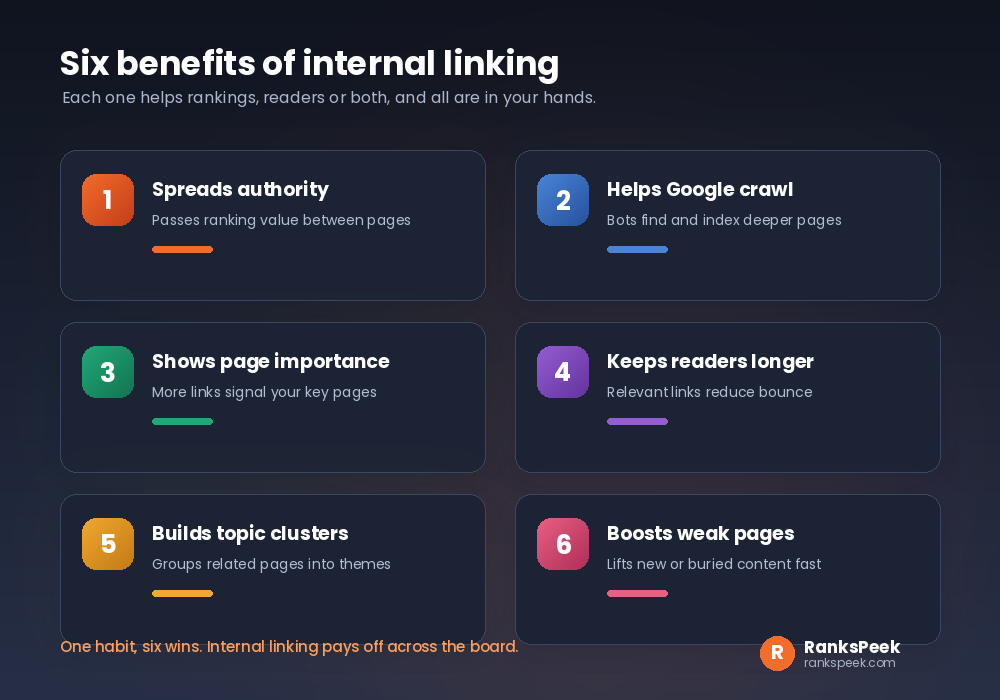
So let us make the internal linking benefits concrete. Below are the six that matter most.
1. Internal Linking Benefits: They Spread Authority
Firstly, when a strong page links to a weaker one, it passes along some of its ranking value. So you can lift a new or buried page simply by linking to it from a page that already performs.
2. They help Google crawl your site
Similarly, search engines follow links to discover pages. Therefore a well linked page gets found and indexed faster, while an orphaned page with no internal links can sit invisible for months.
3. They signal which pages matter
Also, the pages you link to most often look most important to Google. Consequently, pointing several internal links at a key page tells search engines to take it seriously.
4. They keep readers engaged
Meanwhile, a relevant link at the right moment invites someone to keep reading. So people stay longer and view more pages, which sends positive signals and often leads to more conversions.
5. They build topic clusters
In addition, linking related pages together groups them into a clear theme. As a result, Google understands your site covers a topic in depth, which helps the whole cluster rank.
6. They rescue weak pages
Finally, new posts and forgotten pages struggle alone. However, a few internal links from strong pages can give them the push they need to start ranking.
Internal Linking Benefits: How Authority Flows
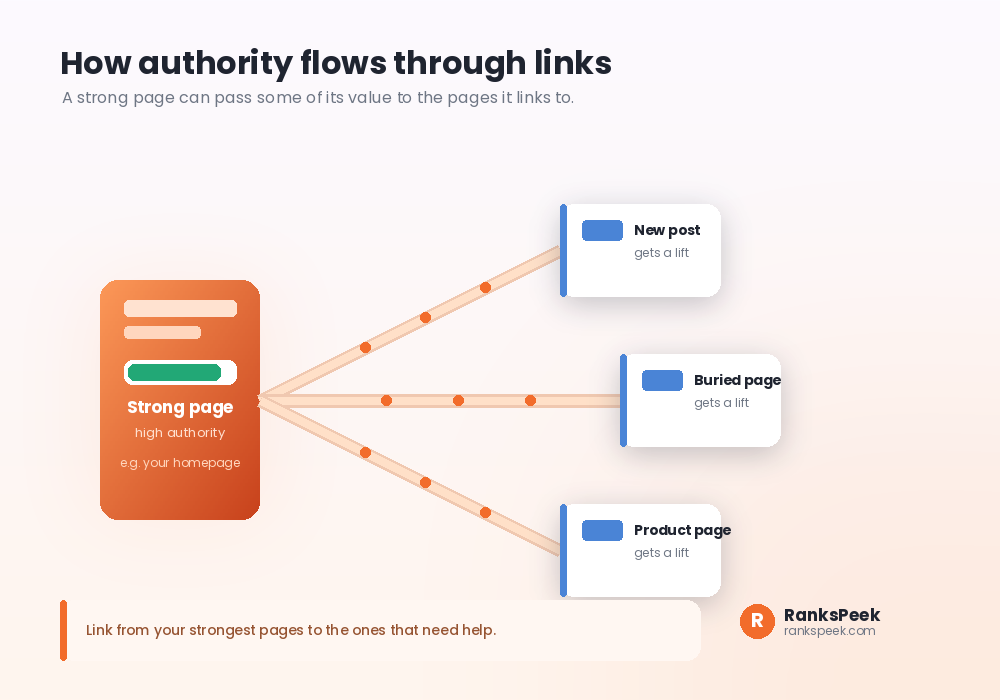
To clarify, picture ranking value as water in a tank. Your strongest pages, often your homepage and best posts, hold the most. Every internal link is a pipe that carries a little of that value to the page it points to.
This gives you a simple strategy. Firstly, find your strongest pages, which you can gauge with authority metrics from our DA PA DR Checker. Secondly, add links from those pages to the ones that need help. Meanwhile, avoid pouring all your value into unimportant pages, since every link splits the flow. So aim the biggest pipes at the pages you most want to rank.
Internal Linking Benefits Best Practices
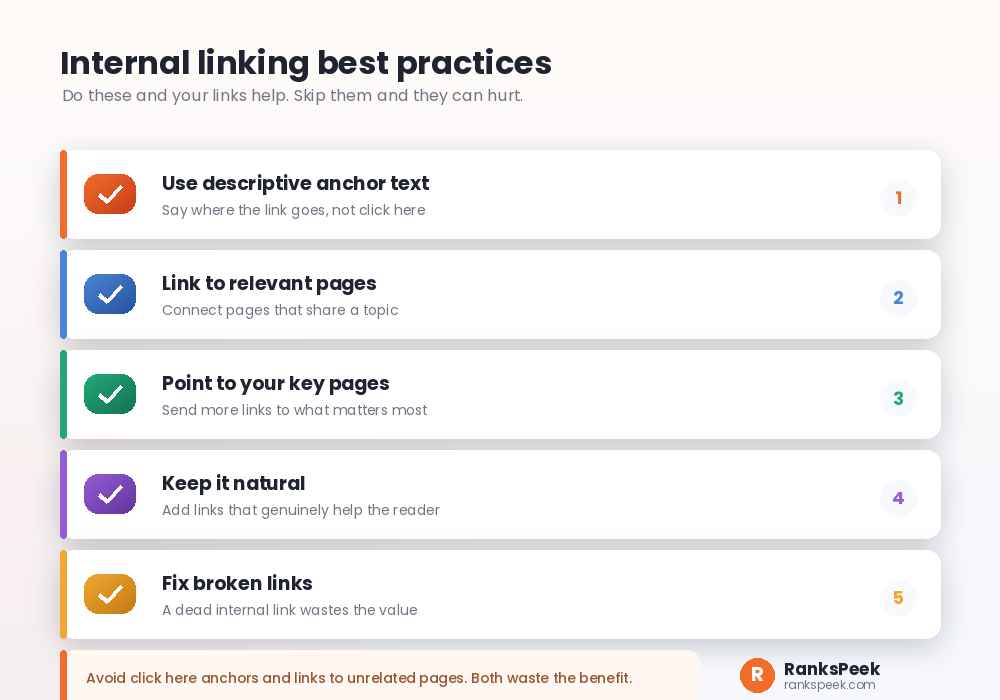
The internal linking benefits only appear when you link well. So follow these five habits.
- Use descriptive anchor text. Firstly, let the clickable words describe the destination, like free SEO checker, rather than click here.
- Link to relevant pages. Then connect pages that genuinely share a topic, because relevance is what passes real value.
- Point to your key pages. Also send more internal links to the pages you most want to rank.
- Keep it natural. Meanwhile, add links that truly help the reader, not links stuffed in just for SEO.
- Fix broken links. Finally, repair dead internal links quickly, since a broken link wastes the value it should carry.
You can find on-page issues, including link problems, with our free SEO Checker. And when you plan a new post, a quick check of your existing pages helps you spot where a fresh internal link would fit.
Mistakes That Waste Internal Linking Benefits
A few common errors quietly cancel out the internal linking benefits. So watch for these.
Generic anchor text. Words like click here or read more tell Google nothing about the target page. Therefore use meaningful anchors instead.
Linking to unrelated pages. A link between two unrelated pages confuses both readers and search engines. So keep your links topically relevant.
Too many links on one page. A page stuffed with dozens of links splits its value thinly and overwhelms readers. Consequently, link with purpose, not by the dozen.
Ignoring old posts. When you publish something new, older related posts should link to it. Otherwise your best new content stays orphaned and struggles to rank, no matter how good it is.
A Linking Lesson From Our Own Site
We build free SEO tools, so we watch our own internal links closely on RanksPeek. Here is a practical lesson.
Early on, we published tool pages and blog posts, but we barely linked them together. As a result, several strong pages sat isolated, and Google was slow to index some of them. Firstly we mapped which pages had few internal links. Secondly we added relevant links from our busier pages to those quieter ones. The buried pages started getting crawled and noticed far sooner.
The lesson was simple and it stuck. Every time we publish a new article now, we do two things. We add links from the new post to related existing pages, and we add a link from at least one strong old page back to the new one. So the new content is never an orphan. If you are wrestling with indexing, our guide on technical issues that slow a WordPress site pairs well with this habit.
Internal Linking Benefits in AI Search and 2026
Naturally, search keeps changing, with AI Overviews and assistants summarising pages before a reader clicks. Even so, internal linking benefits have not faded. If anything, they matter more, because a clear internal structure helps these systems understand how your pages relate.
The reason is consistent. Internal links map your site’s topics for any reader, human or machine. So a site with a clean linking structure is easier for an AI to follow, understand and cite. For the wider view, read our guides on generative engine optimization and AI agent readiness, both of which lean on the same clear structure that good internal linking creates.
Frequently Asked Questions
What are the main Internal Linking Benefits?
They spread ranking authority between pages, help Google crawl and index your site, signal which pages matter most, and keep readers engaged. Best of all, you control every internal link yourself.
How many internal links should a page have?
There is no fixed number. Add as many as genuinely help the reader and stay relevant. A typical blog post might include a handful, not dozens stuffed in for SEO.
Do internal links really affect rankings?
Yes. They pass ranking value, help pages get indexed, and signal importance. They will not outrank great content and backlinks alone, but they meaningfully support both.
What anchor text should I use for internal links?
Use descriptive text that tells the reader and Google where the link goes. So link with phrases like free keyword tool rather than vague words like click here.
What is an orphan page?
An orphan page is one that no other page on your site links to. Google struggles to find it and passes it no authority, so it usually fails to rank until you add internal links.
Are internal links a real Internal Linking Benefit vs backlinks?
They do different jobs. Backlinks earn outside trust, while internal links organise and boost your own pages. You need both, but internal links are the ones you fully control.
Final Thoughts
The internal linking benefits are real, free, and entirely in your hands. Spread authority to the pages that need it, link related content together, use clear anchor text, and never leave a good page orphaned. Start by checking your site’s on-page health with our free SEO Checker, then build the simple habit of linking every new post to the pages around it.