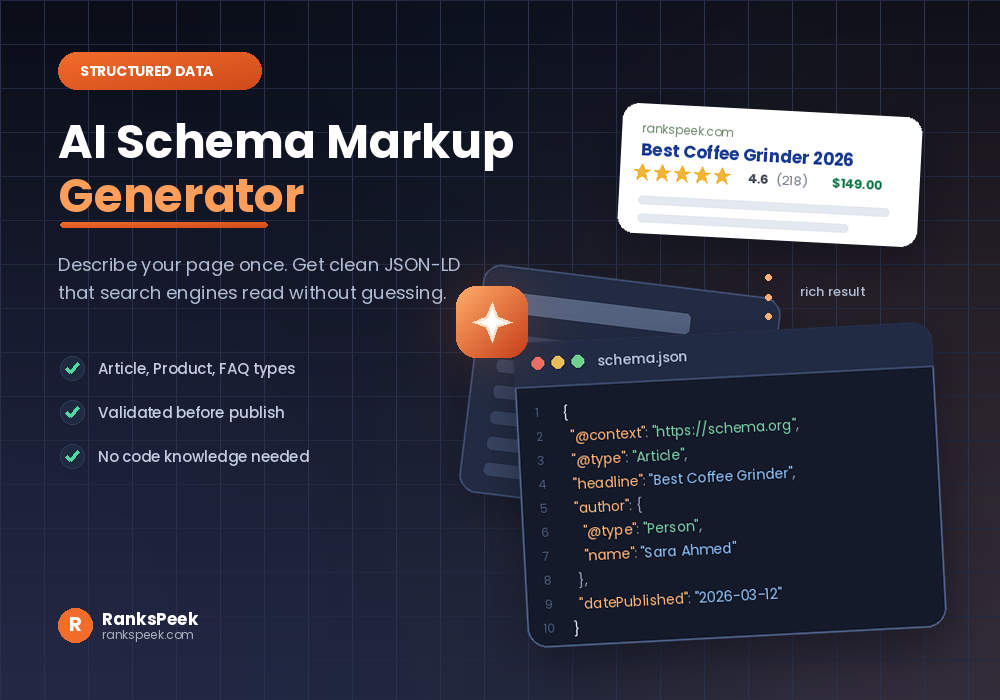
An AI Schema Markup Generator takes a page you already have and writes the structured data code for it, so search engines stop guessing what your content means. Instead of learning JSON-LD syntax by hand, you paste in a page, and the tool returns clean markup you can drop into your site. So the hard part is no longer writing the code. It is knowing which schema type to use, and checking the output before it goes live.
Quick answer: An AI Schema Markup Generator reads your page content and produces JSON-LD structured data automatically. It saves you writing code by hand, which is the slow part. However, you still choose the correct schema type and validate the result, because generated markup can include details your page does not actually show.
Can You Explain Schema Markup in a Simple Way?
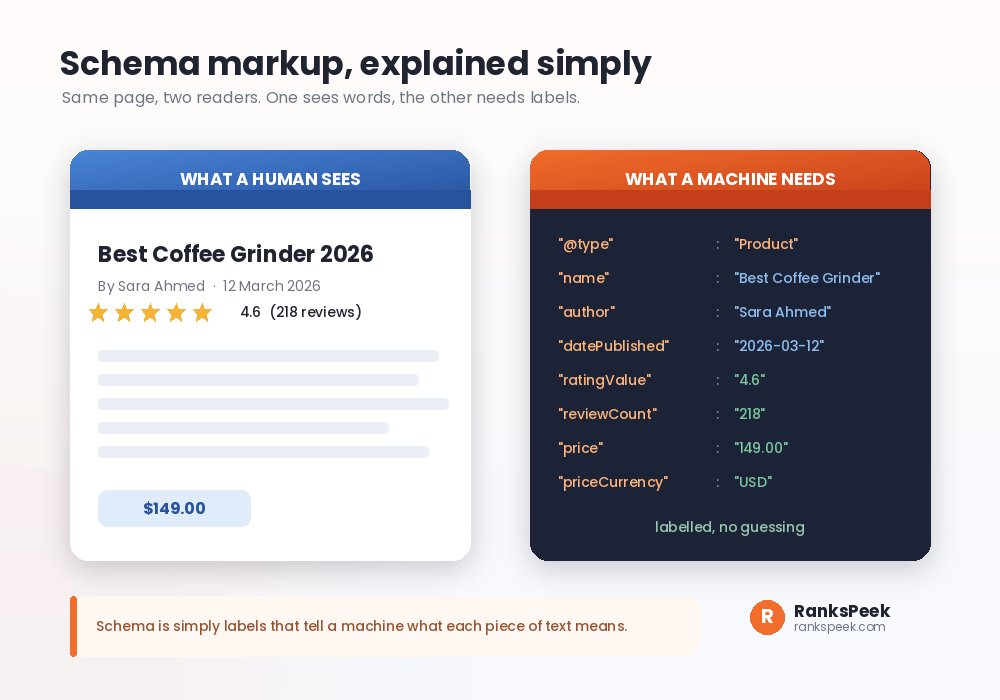
Yes, and it is simpler than the name suggests. Schema markup is a set of labels you add to your page so machines know what each piece of text means.
For example, a human looking at a product page sees a heading, a name, some stars and a number with a currency symbol. They understand instantly. A machine sees only text. So schema adds hidden labels that say this is the product name, this is the rating, this is the price, this is the currency.
Notably, those labels follow a shared vocabulary called schema.org, and the usual format is JSON-LD, a small block of code that sits in your page. Google recommends JSON-LD because it stays separate from your visible content, which makes it easier to add and easier to maintain.
How to Use an AI Schema Markup Generator
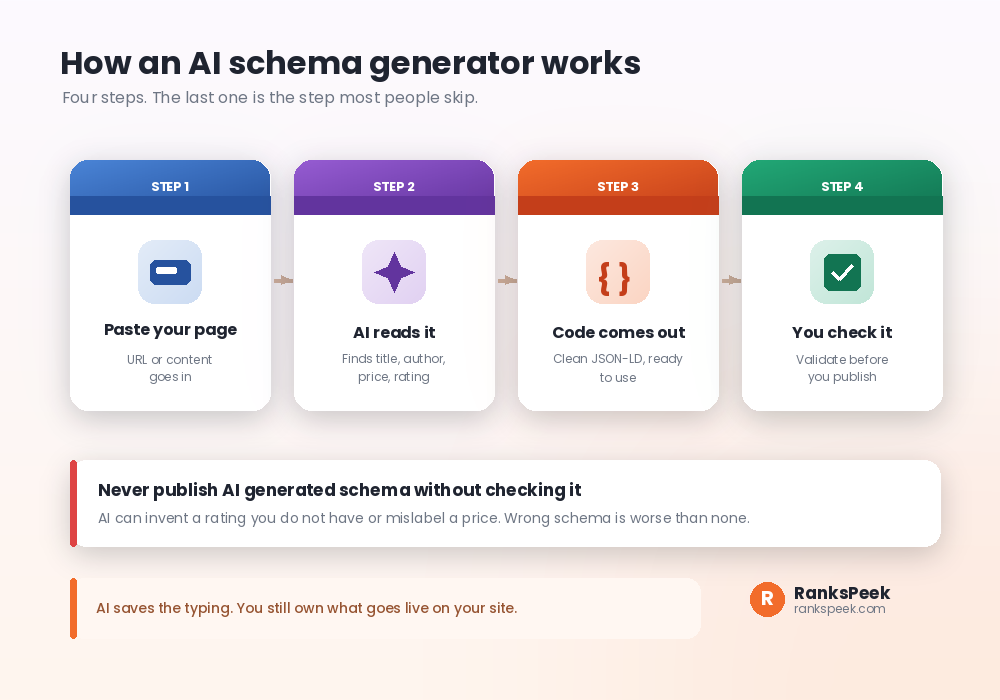
Using an AI Schema Markup Generator is short work. Firstly you give the tool your page, either as a URL or as pasted content. Secondly the AI reads it and identifies the parts that matter, like the title, author, date, price or rating. Thirdly it returns a block of JSON-LD. Finally, and this step matters most, you check the output before publishing.
Here is roughly what a generated block looks like for a blog post:
Then you paste that inside a script tag in your page head. Most content systems have a plugin or a theme file where this belongs, so you rarely need a developer.
Which Schema Type Should You Use?
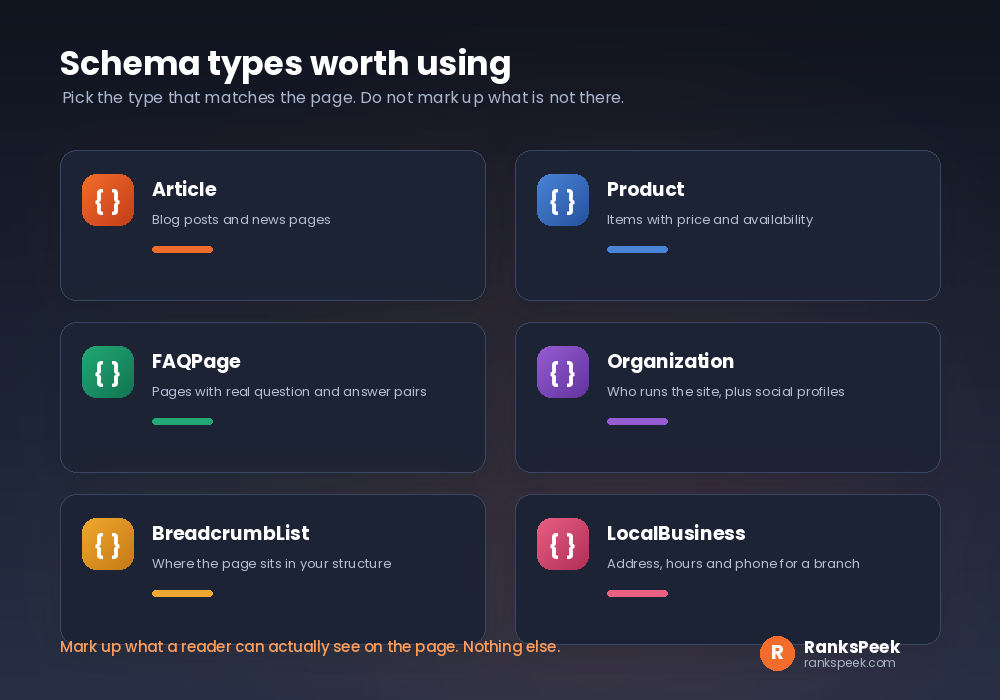
Firstly, the type must match the page. So do not mark a blog post as a product, and do not add review markup to a page with no reviews.
- Article. Firstly, the standard choice for blog posts and news pages.
- Product. Then use this for items with a price and availability.
- FAQPage. Also useful when a page has genuine question and answer pairs visible to readers.
- Organization. Meanwhile, this describes who runs the site, including logo and social profiles.
- BreadcrumbList. Similarly, it shows where a page sits inside your site structure.
- LocalBusiness. Finally, this covers address, opening hours and phone number for a physical branch.
In practice, most sites need fewer types than they expect. An Organization block on the site level, plus Article markup on posts, already covers a great deal. If you run branches in several cities, our guide on multi-location SEO explains where LocalBusiness markup fits.
Validate Your AI Schema Markup Generator Output
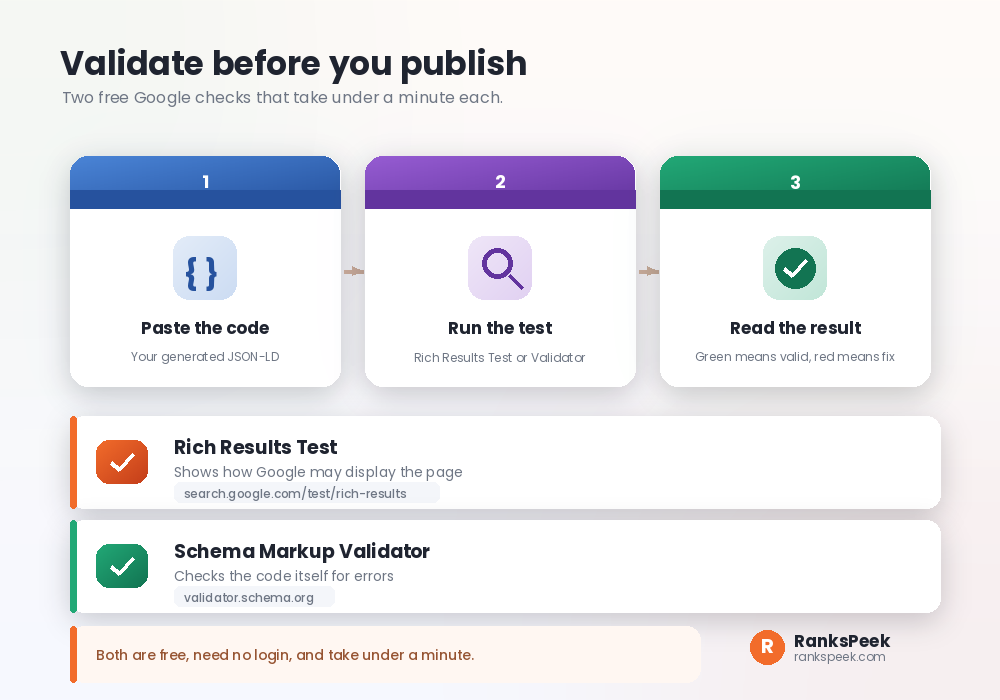
Whatever AI Schema Markup Generator you use, validation is quick and free, so there is no excuse for skipping it. Two checks cover almost everything.
Rich Results Test. Firstly, this shows whether Google can read your markup and whether the page qualifies for any rich result. Paste the URL or the code, run it, and read the report.
Schema Markup Validator. Secondly, run by schema.org, it this checks the code itself for syntax errors and invalid properties, without judging rich result eligibility.
Between them you catch the two common failures: broken syntax, and properties that do not belong to the type you chose. Both take under a minute, and neither needs a login.
Is Schema Markup Still Relevant?
Yes, and that is worth knowing before you reach for any AI Schema Markup Generator. Expectations have simply shifted. Schema is not a ranking boost you switch on, and it never was. Instead it helps machines understand your page correctly, which supports everything else you do.
Meanwhile, what has changed is which rich results appear. Google has reduced how often some result types show, FAQ rich results being the clearest example, so fewer pages get the visual extras than a few years ago. Consequently the value of schema today sits more in accurate understanding than in guaranteed visual features.
That still matters. When your Organization markup is correct, search engines know who publishes the content. When your Article markup is correct, they know the author and the date. Therefore schema supports the credibility signals we cover in our guide on what E-E-A-T means in SEO.
Mistakes an AI Schema Markup Generator Can Make
Automation is fast, yet naturally it does not understand your business. So watch for these.
Invented data. Firstly, a tool may add a rating or review count that does not exist on your page. Google’s guidelines are clear that markup should describe content visible to users, so remove anything invented.
The wrong type. Similarly, a generator sometimes labels a category page as an Article, or a guide as a Product. Check the type before anything else.
Outdated or duplicate blocks. If your theme or plugin already outputs schema, adding another block can create conflicts. Check your page source first, since two Organization blocks can confuse rather than clarify.
Set and forget. Finally, prices change, authors change, hours change. Meanwhile the schema sits there repeating the old detail, which quietly becomes wrong.
A Schema Lesson From Our Own Site
We build free SEO tools, so we run these checks on RanksPeek too. Here is a recent one, told plainly.
Recently we wanted search engines to know our social profiles belonged to us. Firstly we checked our page source and found we already had an Organization block, which meant adding a second one would have created a duplicate. Secondly we edited the existing block instead, adding a sameAs array with our profile links. Then we purged the cache and ran the Rich Results Test.
Thankfully the result came back valid, and Google had crawled the page successfully. The whole job took about ten minutes, yet the useful part was the order: check what exists, edit rather than duplicate, then validate. Had we pasted generated code straight in, we would have shipped two conflicting Organization blocks without noticing.
That is the habit worth copying whatever tool you use. If you want the wider context on making a site readable to machines, our guide on AI agent readiness covers structured data as one of its pillars.
Schema, AI Overviews and 2026
Search now shows AI Overviews and assistants that summarise pages before a reader clicks. Naturally, people ask whether schema is the key to appearing in those answers.
So the honest answer is measured. Structured data helps machines read your page accurately, and accurate reading is a fair starting point for being understood. However, no schema type is a switch that guarantees inclusion in an AI answer. So treat schema as good hygiene rather than a shortcut, and put your real effort into clear, accurate content. Our guide on generative engine optimization explains that broader picture.
Frequently Asked Questions
Is there a free AI Schema Markup Generator online?
Yes, several free generators exist, and many general AI assistants will produce JSON-LD if you describe your page. Whichever you use, validate the output before publishing.
How do you do schema markup by hand?
Pick your type on schema.org, write a JSON-LD block with the required properties, place it inside a script tag in your page head, then validate it. A generator simply speeds up the writing step.
What is a schema markup validator?
It is a free tool that checks your code for errors. The Schema Markup Validator checks syntax and properties, while Google’s Rich Results Test also shows rich result eligibility.
Should I use an FAQ schema generator?
Only if your page genuinely shows questions and answers to readers. Note that Google has reduced how often FAQ rich results appear, so expect understanding value rather than a guaranteed visual result.
What about Product and Article schema generators?
They work the same way, with different required properties. Product markup needs details like price and availability, while Article markup focuses on headline, author and publish date.
Can an AI Schema Markup Generator make mistakes?
Yes. It can invent ratings, choose the wrong type, or duplicate markup your theme already adds. Therefore always check your page source and validate before you publish.
Final Thoughts
An AI Schema Markup Generator removes the tedious part of structured data, which is writing the code. Still, the judgement stays with you: choose the right type, mark up only what readers can actually see, validate the output, and revisit it when your details change. Do that and your pages become far easier for machines to read correctly. Start by checking your on-page basics with our free SEO Checker and Meta Tags Analyzer.