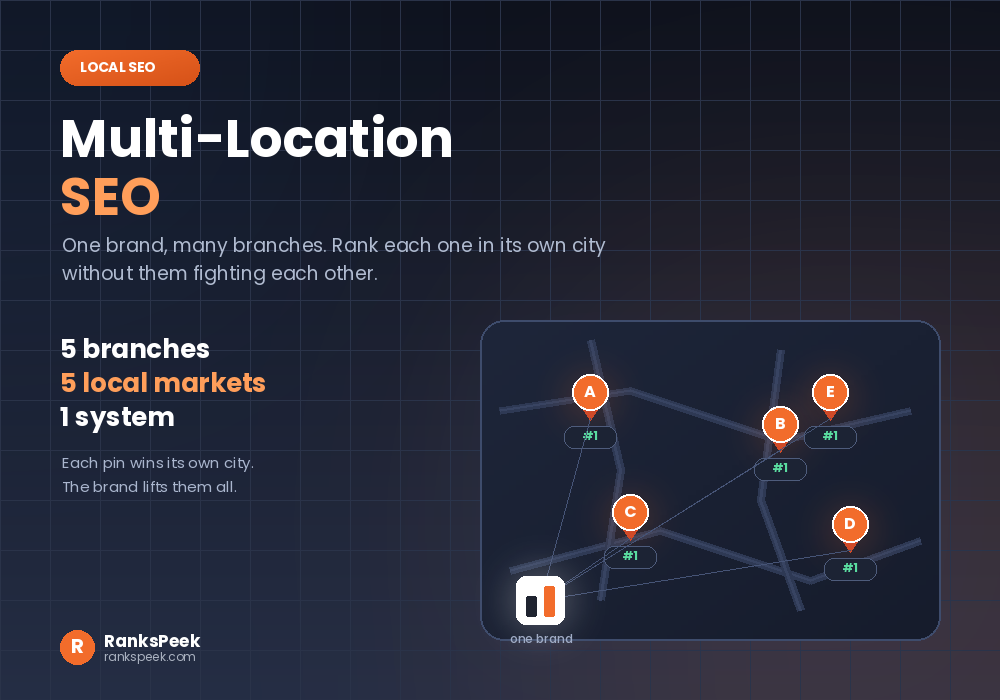
Multi-location SEO is what local SEO turns into once a business has more than one branch. One shop means one Google Business Profile, one set of reviews, and one market. Ten shops mean ten of everything, and forty shops mean a spreadsheet that keeps you up at night. So multi-location SEO is really about one thing: turning local SEO from a checklist into a system that scales.
Quick answer: Multi-location SEO means ranking every branch of one business in its own local market. Each branch needs its own location page and its own Google Business Profile, while the whole network shares one brand, one source of truth for business details, and one tracking setup. Consistency lifts every location. One sloppy mistake drags them all down together.
What Is Multi-Location SEO?
When someone searches “auto repair near me” in one city, the branch in that city should appear, not the branch three states away. Multi-location SEO makes that happen for every branch at once.
The tricky part is balance. Each location competes in its own market with its own rivals. However, all locations share one website and one brand. So the authority you build at brand level lifts every branch, while a single wrong address or a batch of copy-paste pages can hurt the whole network. Therefore the goal is local relevance for each branch, plus consistency across the brand.
Single Location vs Multi-Location SEO
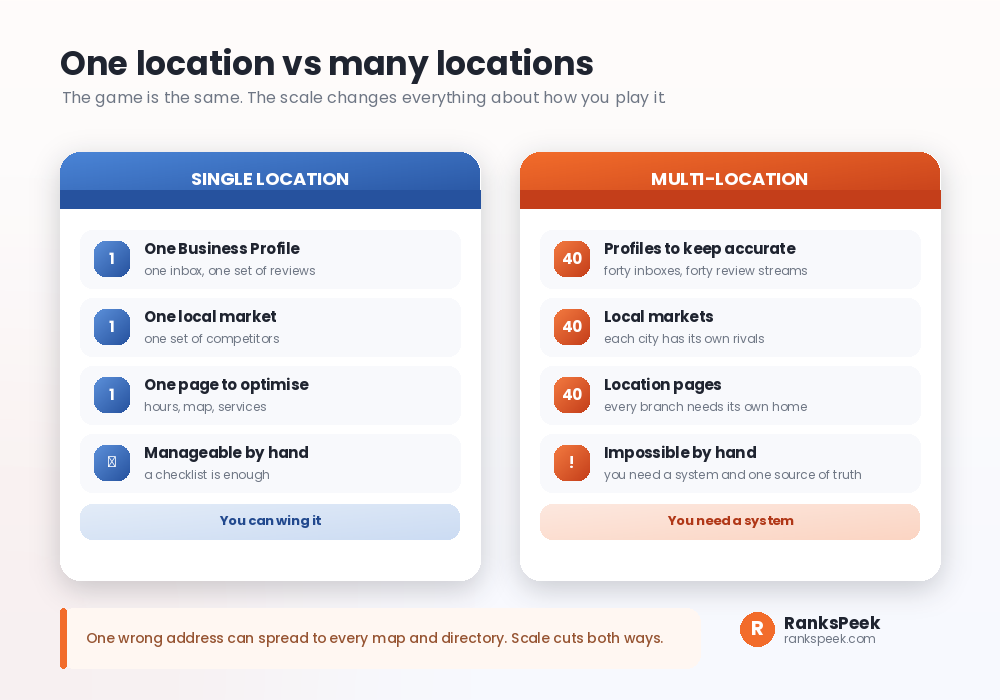
The game is identical. The scale changes how you must play it. With one shop, you can manage the profile, answer the reviews, and fix a typo in minutes. With forty shops, every task multiplies by forty, and doing it by hand guarantees mistakes.
So the first shift is mental. Stop treating each branch as a separate project. Instead, build one system: one master spreadsheet with every branch’s verified details, one page template, one review workflow, and one tracking convention. Then run that system on repeat.
Multi-Location SEO Step One: Location Pages
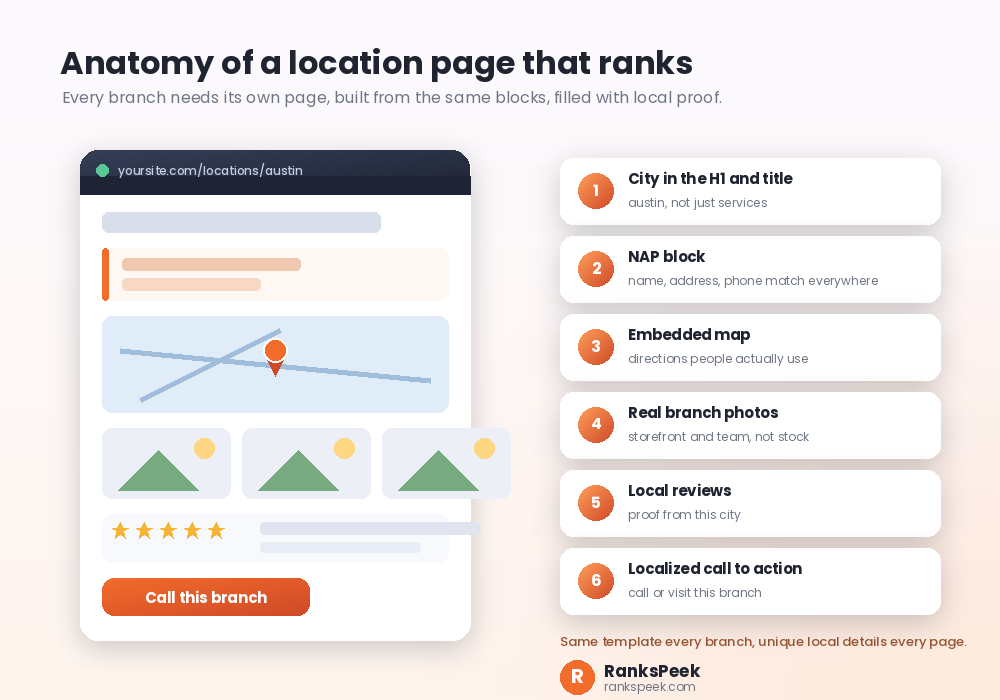
Every branch needs its own page, because the Business Profile needs somewhere relevant to link, and local customers need hours, directions and services without hunting.
Build the pages from one template so they stay consistent, then localize the details so they stay unique. Use a clean subfolder structure such as yoursite.com/locations/city, since subfolders inherit your domain’s authority and stay easy to manage. Each page should include:
- The city in the title and H1. Firstly, target one clear keyword per branch, like your service plus the city name.
- A NAP block. Then show the name, address and phone exactly as they appear everywhere else.
- An embedded map. Also add directions people actually use.
- Real branch photos. For example, the storefront and the team, never stock images.
- Local reviews. Similarly, show proof from that city, not global averages.
- A localized call to action. Finally, let people call or visit that branch in one tap.
One warning. Templates make thin, duplicate pages tempting. Resist that, because near-identical pages compete with each other and rank poorly. We covered the foundations of this in our guide on location pages, and this article extends that into the full system.
Multi-Location SEO Step Two: Business Profiles
Each branch needs its own Google Business Profile, claimed and verified. If you manage ten or more, Google offers bulk verification, which saves days.
Then check every profile against your master spreadsheet. The name, address, phone, hours and landing page must match exactly, since even one typo can hurt that branch. After that, keep the profiles alive. Post updates, rotate fresh photos, seed the Q&A section with accurate answers, and pick precise categories rather than many loose ones.
Multi-Location SEO Step Three: Reviews at Scale
Reviews drive both local rankings and clicks. At scale, the challenge is volume, because forty branches can produce hundreds of reviews a month.
So systematize three things. Firstly, make asking automatic, with each branch using its own short review link or QR code on receipts and follow-ups. Secondly, centralize monitoring, so every branch’s reviews land in one place and negative ones trigger a fast response. Thirdly, standardize responses with a few brand templates that staff personalize, which keeps the tone consistent without sounding robotic.
Multi-Location SEO Step Four: NAP Consistency
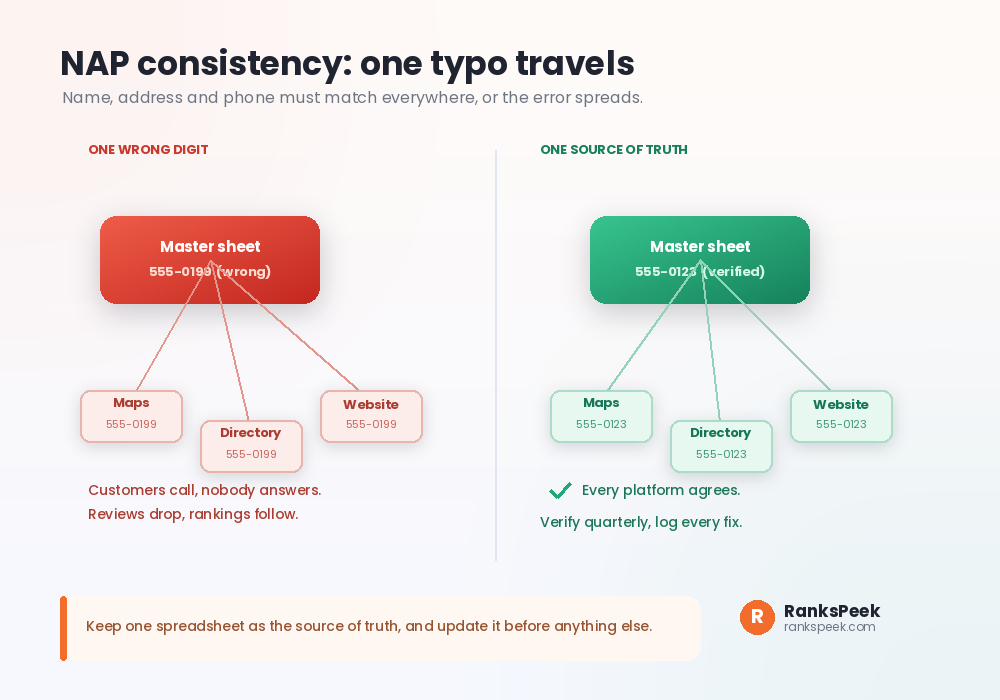
NAP stands for name, address and phone number. Those three details live on your pages, your profiles, maps services and directories. When they all agree, search engines trust that each branch is real. When they disagree, confusion spreads.
Here is the ugly part. With many branches, one wrong digit does not stay in one place. Directories copy from each other, so a single typo can travel across the web within weeks. Customers then call a number nobody answers, reviews sour, and rankings slip.
The fix is routine, not heroics. Audit every listing against the master sheet each quarter. Spot-check the platforms that matter most, log what you fix, and watch for the platforms that slip most often.
Multi-Location SEO Step Five: Local Backlinks
Links from real local sources tell search engines that a branch belongs to its community. So encourage each branch to earn them locally: sponsor a community event, join a local business group, or partner with a nearby organisation.
Two rules make this scale. Firstly, point those links at the branch’s location page rather than the homepage, since that strengthens the exact page competing in that city. Secondly, document what works in a shared playbook, so a win in one city becomes a repeatable move in every city. Track your progress with our free Backlink Checker, and keep the profile clean with our guide on how to reduce spam score.
Multi-Location SEO Step Six: Track Every Branch
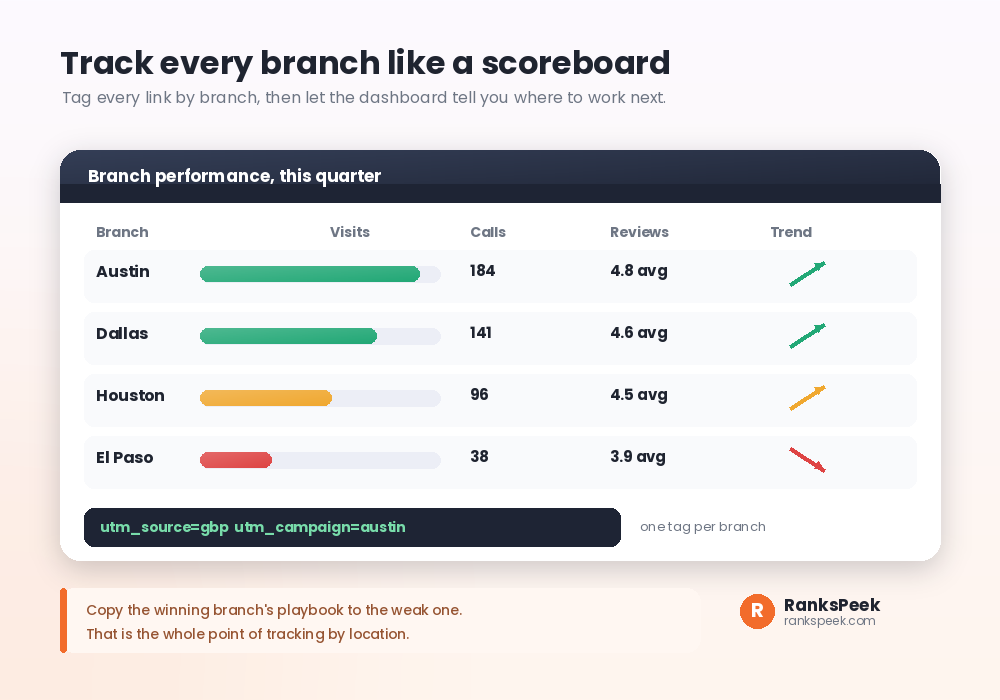
Without tracking by branch, you cannot say which locations drive calls and which drain budget. So tag everything. Add a UTM parameter with the branch name to every profile link, so analytics separates traffic by location. Give branches their own phone numbers where possible, so calls attribute cleanly too.
Then read the scoreboard monthly. Find the winning branch, work out why it wins, and copy that playbook to the weakest one. That loop, more than any single tactic, is what makes multi-location SEO compound over time. Meanwhile, remember that patience applies here too, as we explain in how long SEO takes to see results.
A Consistency Lesson From Our Own Site
We run RanksPeek as a single site, yet we hit the exact disease that kills multi-location networks: inconsistency between addresses.
Search Console flagged several of our pages as duplicates where Google chose a different canonical than we did. Firstly we checked the canonical tags. Secondly we checked the sitemap. Eventually we found the truth: our site answered on both the www and non-www versions, and even on index.php, so the same page lived at multiple addresses. Google picked its own favourite.
The fix was pure consistency. We set one address as the only address, redirected everything else to it with a permanent 301, and aligned the canonical tags, sitemap and internal links on that single version. The warnings cleared.
Now imagine that same disagreement multiplied across forty branch listings, forty pages and a dozen directories. That is why the master spreadsheet matters so much. If canonicals confuse you, start with our explainer on what a canonical URL is in SEO.
Multi-Location SEO, AI Overviews and 2026
Local search now includes AI Overviews, and people increasingly ask assistants for “the best plumber near me” instead of scrolling results. Those systems lean on the same structured facts: consistent business details, real reviews, clear location pages and honest descriptions.
So the 2026 playbook rewards the boring fundamentals. A branch with accurate data everywhere, active reviews and a genuine local page is exactly what both Google and AI assistants can confidently recommend. Meanwhile, businesses with messy, conflicting listings simply do not get cited. For the wider picture, read our roundup of the latest SEO trends and our guide to search everywhere optimization.
Frequently Asked Questions
What is multi-location SEO in simple words?
It is local SEO for a business with several branches. Each branch gets its own page and profile, so it can rank in its own city, while the whole network stays consistent under one brand.
Does every branch really need its own page?
Yes. Profiles need a relevant page to link to, and searchers need local hours, directions and proof. One generic page cannot rank in forty different cities.
How do I stop branches competing with each other?
Give each page one clear target: your service plus that city. Since every branch targets a different city, they stop overlapping and start owning their own markets.
Is multi-location SEO only for big chains?
No. Even two branches benefit. In fact, starting the system early, while you have two locations, is far easier than untangling forty inconsistent listings later.
How often should I audit my listings?
Quarterly works for most networks. Check every listing against your master sheet, fix mismatches, and log what slipped so you can spot repeat offenders.
What is the most common multi-location SEO mistake?
Copy-paste location pages and inconsistent NAP details. Both look small, yet both spread across the network and quietly drag every branch down.
Final Thoughts
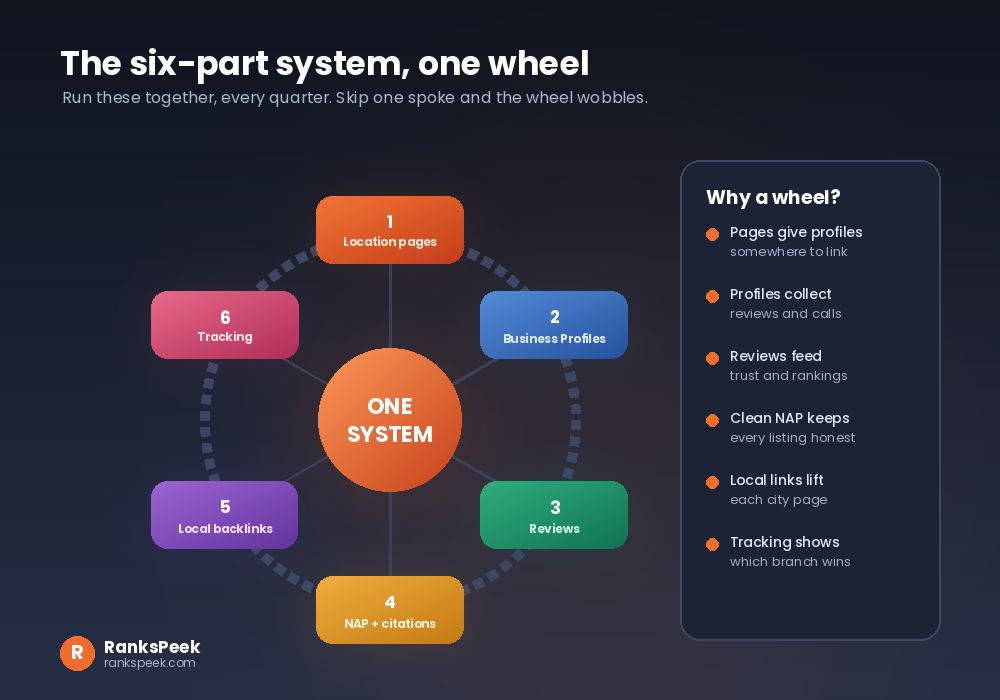
Multi-location SEO is not forty separate campaigns. It is one system with six moving parts: location pages, Business Profiles, reviews, NAP consistency, local links and branch-level tracking. Build the master sheet first, then run the wheel every quarter. Start by checking each branch page with our free SEO Checker, and compare your domains at scale with the Bulk DA PA Checker.