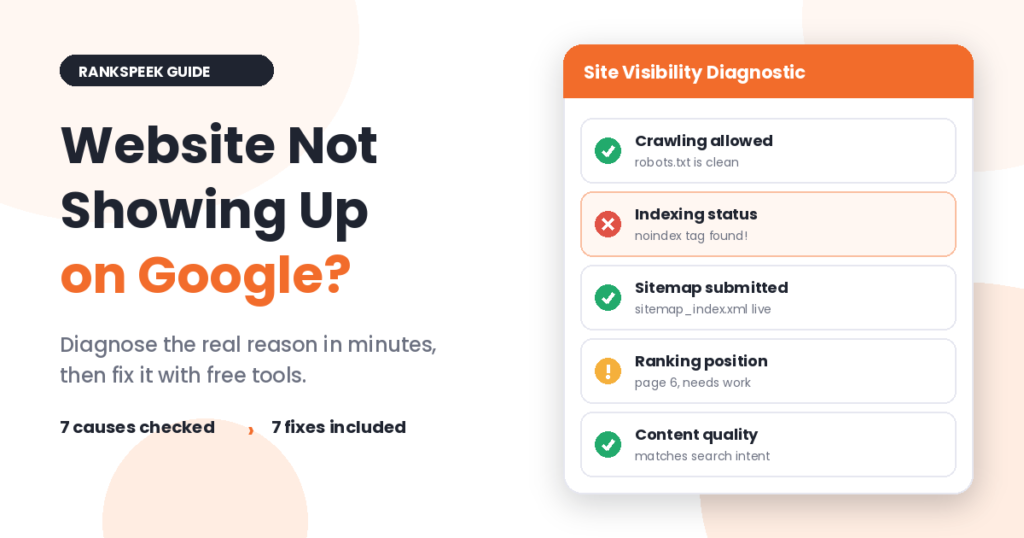
You built the site, published the pages, and searched Google for your business. Nothing. A website not showing up on Google is one of the most stressful problems a site owner can face, but it is almost always fixable. In this guide, you will learn the seven real reasons it happens and the exact fix for each one, based on problems we have diagnosed and solved ourselves.
A website usually fails to show up on Google for one of seven reasons: Google cannot crawl it, a noindex tag is blocking it, it is too new to be indexed, it ranks too low to be seen, duplicate content is confusing Google, the content does not match search intent, or in rare cases a penalty applies. Start by searching site:yourdomain.com to confirm whether Google has indexed your site at all.
First, Confirm Your Website Is Actually Missing
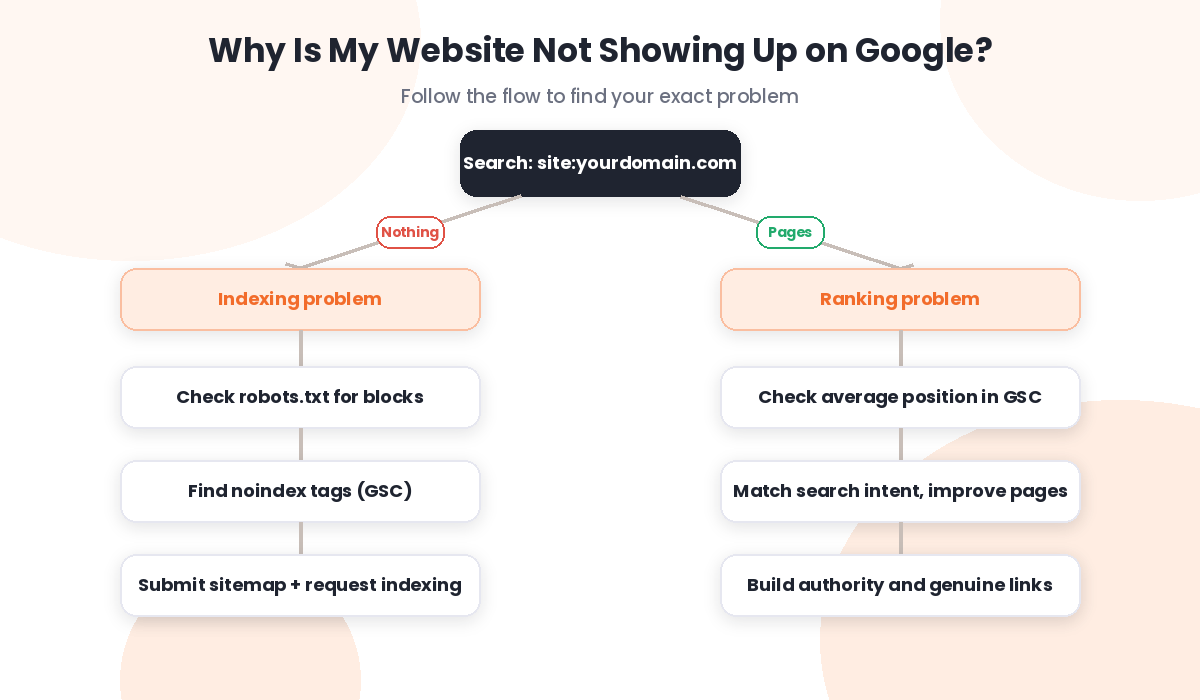
Before fixing anything, confirm what kind of problem you have, because “not showing up” can mean two very different things. So open Google and search this, replacing the domain with yours:
site:yourdomain.com
If pages appear, your site is indexed, and your real problem is low rankings. However, if nothing appears, Google has not indexed your site, and you have an indexing problem. Both cases feel like a website not showing up on Google, yet the fixes are completely different. This one search decides which fixes below apply to you. Additionally, you can check any specific page instantly with our free Google Indexed Pages Checker.
7 Reasons Your Website Is Not Showing Up on Google
1. Google Cannot Crawl Your Site
Google discovers pages by crawling them, and a small file called robots.txt controls what crawlers can visit. Consequently, one wrong line in that file can block your entire site. Open yourdomain.com/robots.txt and look for “Disallow: /”. If you see it, that line is telling Google to stay away, so remove it or ask your developer to fix it.
2. A Noindex Tag Is Blocking Pages
A noindex tag is a piece of code that tells Google not to index a page. It is useful for login pages, but it becomes a disaster when it lands on pages you want ranked, often through a plugin setting or a caching mistake. To check, open Google Search Console, go to Indexing, then Pages, and look for “Excluded by noindex tag”. Also, run key pages through our Meta Tags Analyzer, which shows the robots tag Google actually sees.
3. Your Site Is Too New
Google does not index new websites instantly. In fact, a brand new domain often waits days or weeks for its first pages to appear. You can speed this up: create an XML sitemap with our Sitemap Generator, submit it in Google Search Console, and then use Request Indexing on your most important URLs one by one. These three steps regularly cut the wait from weeks to days.
4. You Rank Too Low to Be Seen
Sometimes the site is indexed but sits on page five or beyond, where nobody looks. Therefore, check Google Search Console’s Performance report and look at your average position. If you see impressions but few clicks, your problem is not visibility, it is competitiveness. Building content and authority fixes this over time, and you can track your progress with our DA PA DR Checker.
5. Duplicate Content Confused Google
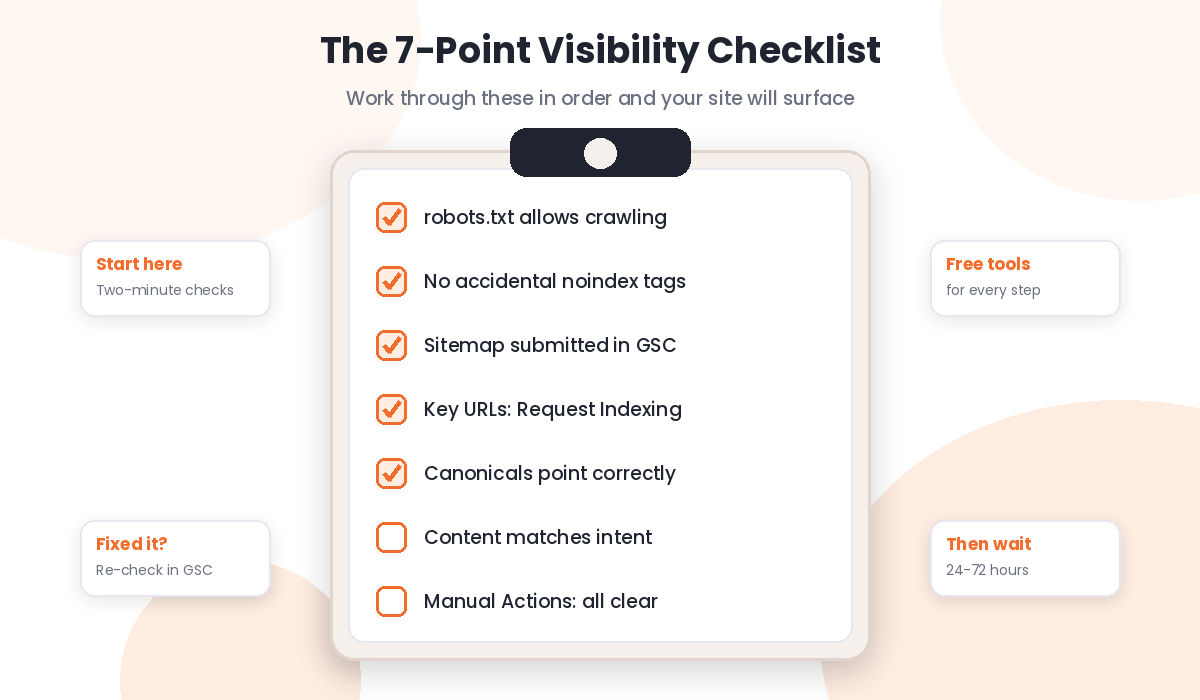
When two of your pages look nearly identical, Google picks one version, called the canonical, and may ignore the other. As a result, the page you wanted to rank can vanish. Search Console labels this “Duplicate, Google chose different canonical than user”. The fix is to merge similar pages, or add a canonical tag pointing to the version you prefer.
6. Your Content Does Not Match Search Intent
Google shows pages that answer what searchers actually want. So if people searching your keyword want a step by step guide and your page is a thin sales pitch, Google will skip it. Search your target keyword, study the top results, and then match their format while adding something better. Meanwhile, check your page with the Keyword Density Checker to be sure you cover the topic naturally instead of repeating one phrase.
7. A Penalty Applies (Rare, but Check)
Manual penalties are the least common cause, and they mostly hit sites that bought links or published spam at scale. Open Search Console and check the Manual Actions report; a green check mark means you are clear. If you suspect risky links from past SEO work, review your profile and read our guide on how to reduce spam score for the full cleanup process.
A Real Fix From Our Own Site
This is not theory for us. When our own blog pages refused to appear on Google, the Search Console report showed “Excluded by noindex tag”, yet our settings looked correct everywhere. The culprit turned out to be the caching plugin, which was serving an old cached version of the pages that still contained a noindex tag from the setup phase. Purging the cache fixed it, and after we resubmitted the sitemap and requested indexing, a new article was indexed within 24 hours.
The lesson: when a website not showing up on Google has settings that look right, check what Google actually sees, not what your dashboard says. A quick scan with our SEO Checker shows your pages the way crawlers experience them, and that outside view often reveals the real problem in minutes.
What Changed in 2026
Getting indexed is only half the battle now, because AI Overviews sit above the classic results for many searches. Google’s guidance is consistent on this point: the same indexing and quality fundamentals decide whether your content can appear in AI features. Google’s own documentation on how Search works explains the crawl, index, and serve pipeline that everything above is built on, and it is worth ten minutes of your time.
Additionally, Google has become slower to index thin sites in 2026, since its systems now judge overall site quality before spending crawl resources. Consequently, a new website with ten strong pages gets indexed faster than one with a hundred shallow ones. Quality first, then quantity.
Frequently Asked Questions
How long until a new website shows up on Google?
Typically a few days to a few weeks. However, submitting a sitemap and using Request Indexing in Search Console regularly shortens this to days, and sometimes to hours for individual pages.
Why is my website indexed but not ranking?
Indexing puts you in the library, while ranking decides your shelf position. If you are indexed but invisible, the causes are usually weak content, low authority, or strong competition, so focus on better pages and genuine backlinks.
Does paying for Google Ads help my site get indexed?
No. Ads and organic search are completely separate systems, and running ads has no effect on crawling, indexing, or rankings. The fixes in this guide are the only reliable route.
Why did my website suddenly disappear from Google?
A sudden disappearance usually points to an accidental noindex tag, a robots.txt change, a hacked site, or an algorithm update. Check Search Console first, because it reports the exact reason in the Pages section.
How do I check if a specific page is indexed?
Search site:yourdomain.com/page-url on Google, or paste the URL into our free Google Indexed Pages Checker for an instant answer without leaving your desk.
A website not showing up on Google is a solvable problem, and now you know exactly where to look. Run your site through our free SEO Checker for a full diagnostic, or explore all 17 free tools on RanksPeek and get your website the visibility it deserves.
The RanksPeek Team builds free SEO tools that help website owners check authority, backlinks, keywords, speed and more, with no signup needed. Explore all 17 free tools →