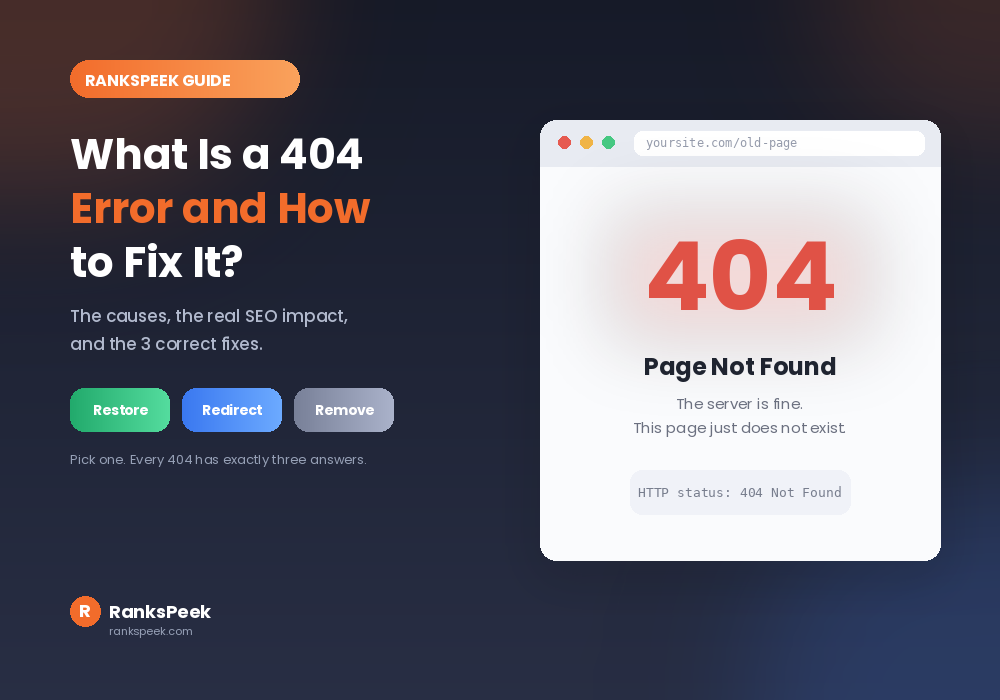
You clicked a link and hit a wall: Page Not Found. Every internet user has seen it, and every website owner has caused it. So what is a 404 error and how to fix it properly? In short, the server could not find the page you asked for, and the fix depends on whether that page should still exist. This guide covers the causes, the real SEO damage, how to find every broken page on your site, and the exact fix for each situation.
A 404 error is an HTTP status code meaning the server works but the requested page does not exist at that address. Common causes include deleted pages, changed URLs, and typos. To fix it: restore the page if it still matters, add a 301 redirect if the content moved, or remove the broken link if neither applies.
What Is a 404 Error, Exactly?
A 404 error is an HTTP status code. It means your server answered the request, but it could not find the page at that address. You may see it written as “404 Not Found”, “Error 404”, or simply “Page Not Found”.
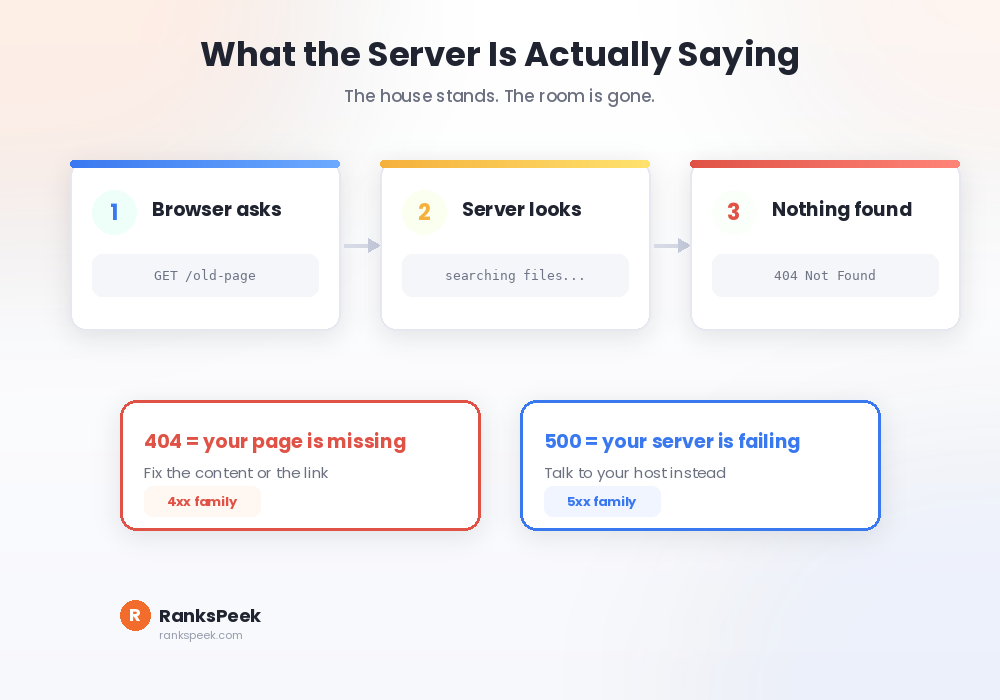
That is the technical half of what is a 404 error and how to fix it. Here is the important nuance: a 404 does not mean your website is down. It means the site is alive and the specific page is missing. So think of it like a working doorbell on a house where the room you asked for no longer exists. The building stands, the room does not.
Where 404 Sits Among HTTP Status Codes
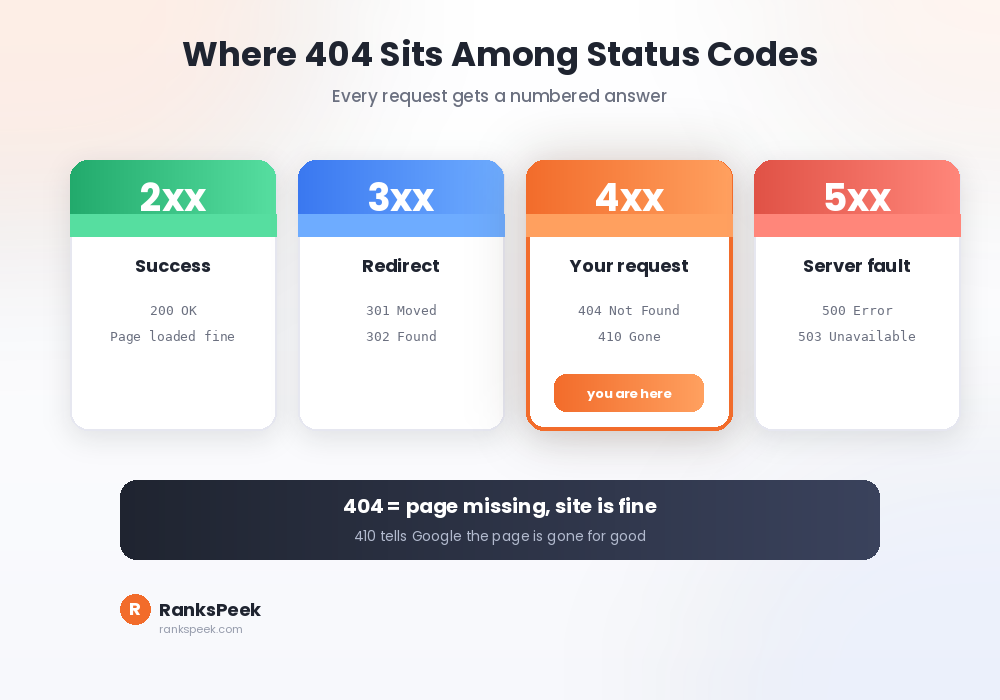
Every request your browser makes gets a numbered answer. The 200 code means success. The 301 code means the page moved permanently. The 404 code belongs to the 4xx family, which covers problems with the request itself.
That distinction matters, because 5xx codes mean something entirely different: the server itself is struggling. Consequently, a 404 is your problem to fix in your content, while a 500 usually belongs to your host. One more code deserves attention: 410 means the page is gone forever and never coming back. Google treats it slightly more decisively than a 404.
What Causes 404 Errors
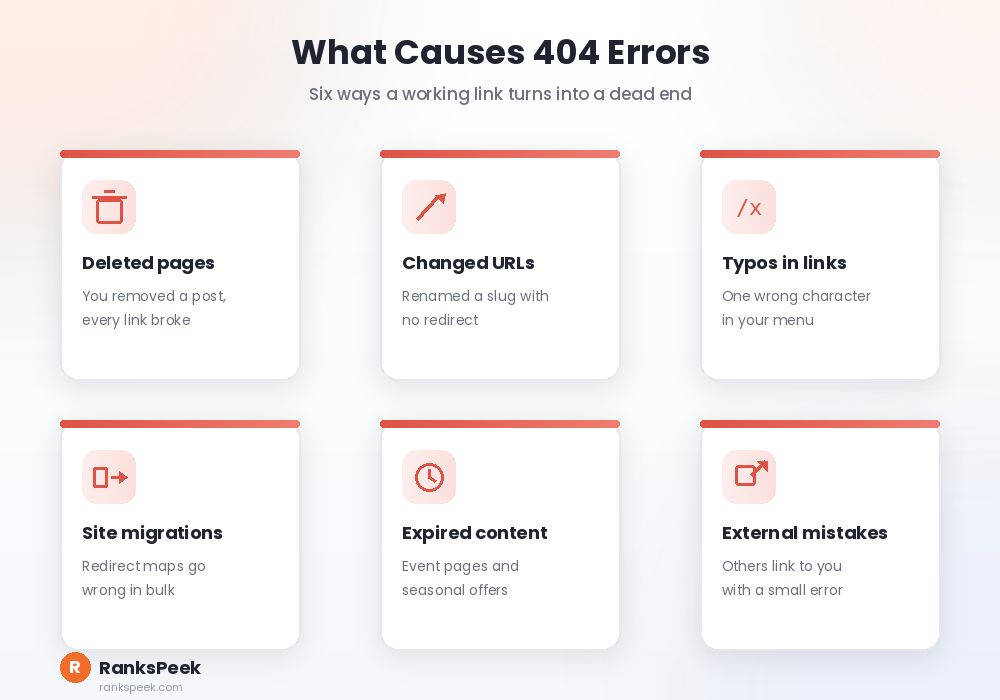
Deleted pages top the list. You remove an old post, and every link pointing to it breaks instantly. Changed URLs come next: renaming a slug without a redirect strands the old address.
Typos cause plenty too, both yours and your visitors’. One wrong character in a menu link sends everyone to nowhere. Additionally, site migrations create them in bulk when redirect maps go wrong, and expired content like event pages or seasonal offers leaves dead links behind. Finally, external sites linking to you with a small mistake create 404s you never caused.
Is a 404 Error Bad for SEO?
Here is the honest answer, and it is more balanced than most guides admit. A few 404s will not hurt your rankings. Google expects them, because the web changes constantly, and its systems simply drop those URLs from the index over time.
However, patterns cause damage. First, lost link equity: when another site links to a page that now returns 404, that authority stops flowing into your site. Check who links to you with our free Backlink Checker, because a valuable broken link is worth rescuing.
Second, wasted crawl budget. Crawlers spend visits on dead ends instead of your real content. Third, and worst, user trust. Visitors who hit a wall usually leave, and they rarely come back. So the rule is simple: ignore the stray 404, and fix the ones that receive traffic or links.
How to Find 404 Errors on Your Site
Start with Google Search Console. Open the Pages report under Indexing, and look for the “Not found (404)” group. That list shows exactly which URLs Google tried and failed to reach, which makes it your priority list.
Next, scan your own site. Our free SEO Checker flags broken links along with other on-page issues in one pass. Additionally, check what a single URL actually serves with our Meta Tags Analyzer. A live page returns its tags, while a missing one does not, which confirms the problem in seconds.
Finally, watch your analytics. Pages with high exits and no content usually reveal 404s that your crawl missed, especially ones caused by external links.
What Is a 404 Error and How to Fix It: The 3 Options
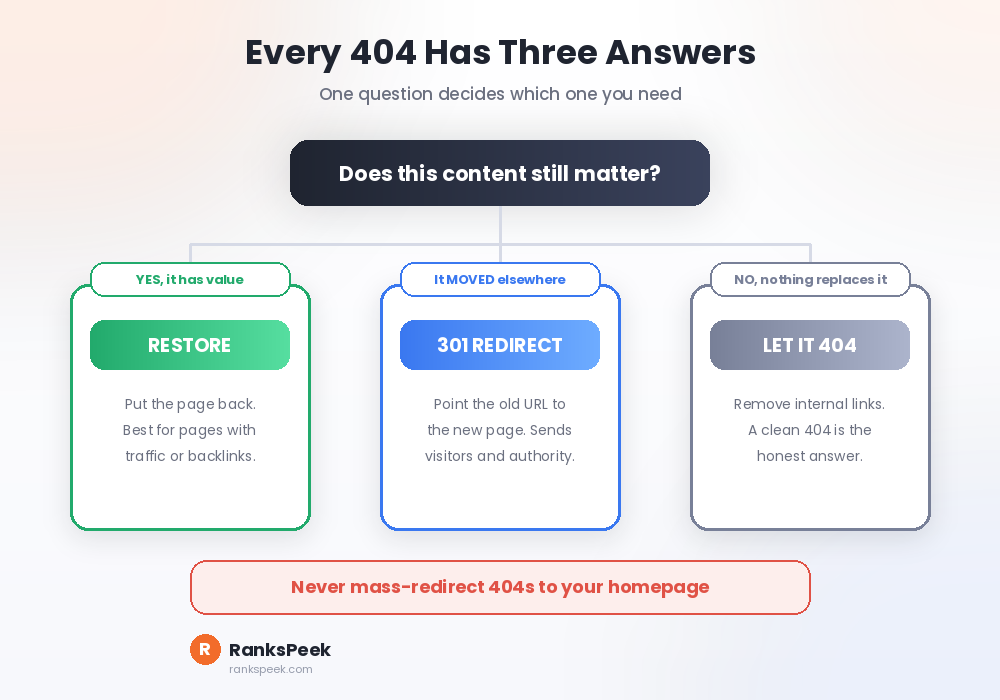
Every 404 has exactly three correct answers, and choosing between them takes one question: does this content still matter?
Option one, restore the page. Choose this when the page still has value, receives traffic, or holds backlinks. Deleting it was the mistake, so put it back.
Option two, redirect it. Choose this when the content moved or a close replacement exists. Add a 301 redirect from the old URL to the new one, which sends both visitors and authority to the right place. Do not redirect everything to your homepage, though. Google treats irrelevant homepage redirects as soft 404s anyway, so a wrong redirect helps nobody.
Option three, let it go. Choose this when nothing replaces the page and nothing links to it. Remove the internal links pointing at it, then let the 404 stand. A clean 404 is the honest answer, and Google’s documentation on HTTP errors confirms that removing pages this way is completely normal.
Build a Custom 404 Page
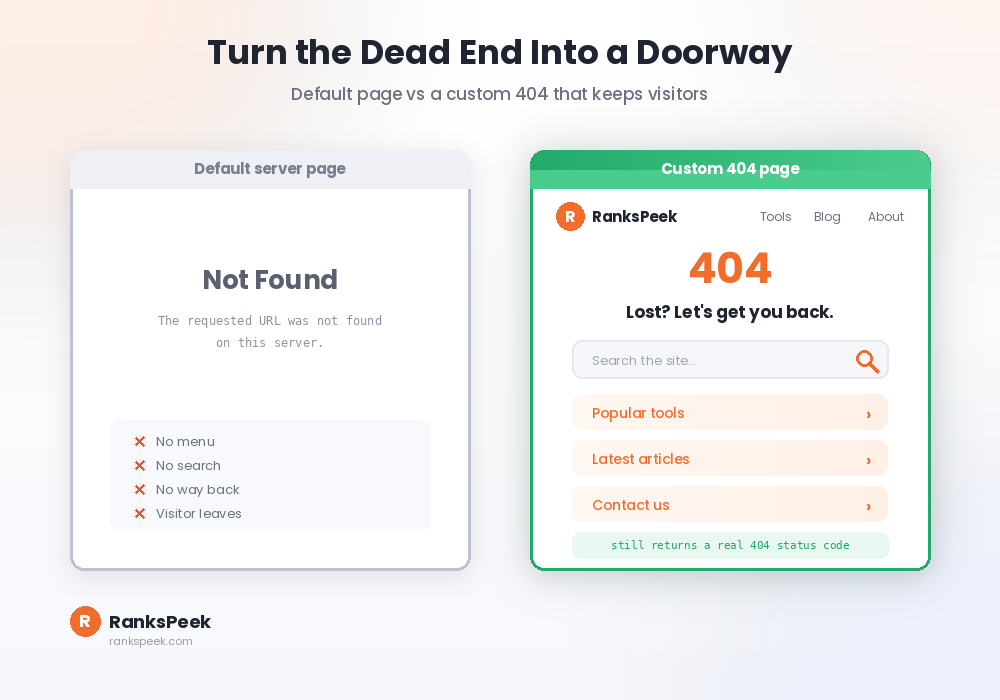
Knowing what is a 404 error and how to fix it still leaves one gap: some 404s will always exist, so make them useful. A default server error page is a dead end, while a custom one keeps visitors on your site.
Good custom pages share four things: your normal branding and menu, a search box, links to your most popular pages, and a friendly tone that softens the moment. Meanwhile, one warning matters technically. Your custom page must still return a real 404 status code. If it returns 200 instead, you have created a soft 404, and Google will treat that as a quality problem rather than a missing page.
What Changed in 2026
Crawl budget grew stricter this year, because Google now weighs overall site quality before spending resources. Consequently, a site littered with dead links gets crawled less thoroughly, which slows down indexing for your new content. Cleaning 404s now speeds up publishing, not just user experience.
Additionally, AI answer engines cite specific URLs. A broken link inside an AI answer wastes the citation entirely, so stable URLs matter more than they used to. In short, tidy redirects protect visibility in places that did not exist a few years ago. If your pages are missing from search altogether, our guide on why a website is not showing up on Google covers the wider diagnosis.
Frequently Asked Questions
What is a 404 error and how to fix it quickly?
It means the page does not exist at that URL. Fix it by restoring the page if it still matters, adding a 301 redirect if the content moved, or removing the broken link if neither applies.
Do 404 errors hurt my Google rankings?
Not directly, and a few are normal. However, many 404s waste crawl budget, lose link equity, and frustrate visitors. Those side effects can hurt performance over time, so fix the ones that receive traffic or links.
What is a soft 404?
A soft 404 is a page that looks empty or missing to Google but returns a 200 success code instead of 404. Google flags these, because the signal contradicts the content. Make sure your error page returns the correct status.
Should I redirect all 404s to my homepage?
No. Redirect only when a relevant replacement exists. Mass homepage redirects confuse visitors, and Google often treats them as soft 404s anyway, which removes any benefit.
How do I check whether a page is really missing?
Search site:yourdomain.com/page-url on Google, or paste the URL into our free Google Indexed Pages Checker. Additionally, our SEO Checker lists broken links across your whole site in one scan.
So that is what a 404 error is and how to fix it: find them in Search Console, then restore, redirect, or remove. Scan your site free with our SEO Checker, then explore all 17 free tools on RanksPeek to keep your site clean and crawlable.
The RanksPeek Team builds free SEO tools that help website owners check authority, backlinks, keywords, speed and more, with no signup needed. Explore all 17 free tools →