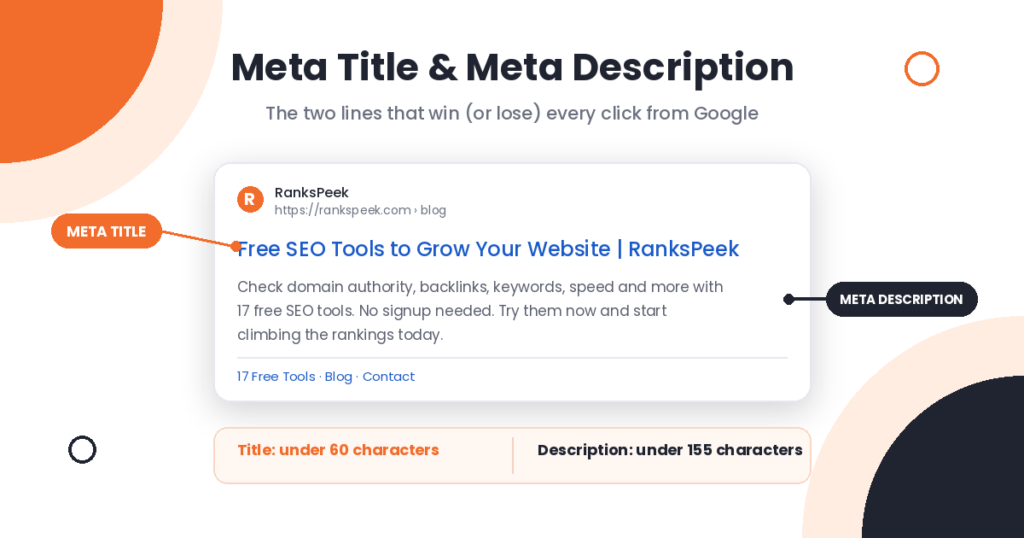
Every page on your website sends Google a tiny advertisement, and most site owners never write it. The meta title and meta description are the two lines searchers see before they ever visit your site, so they decide whether people click your result or your competitor’s. In this guide, you will learn what is meta title and meta description in SEO, how the two differ, and how to write both so your pages earn more clicks.
The meta title (title tag) is the clickable headline of your page in Google’s search results, and the meta description is the short summary shown under it. The title influences rankings directly, while the description influences how many people click. Keep titles under 60 characters and descriptions under 155 characters, and write a unique pair for every page.
What Is a Meta Title in SEO?
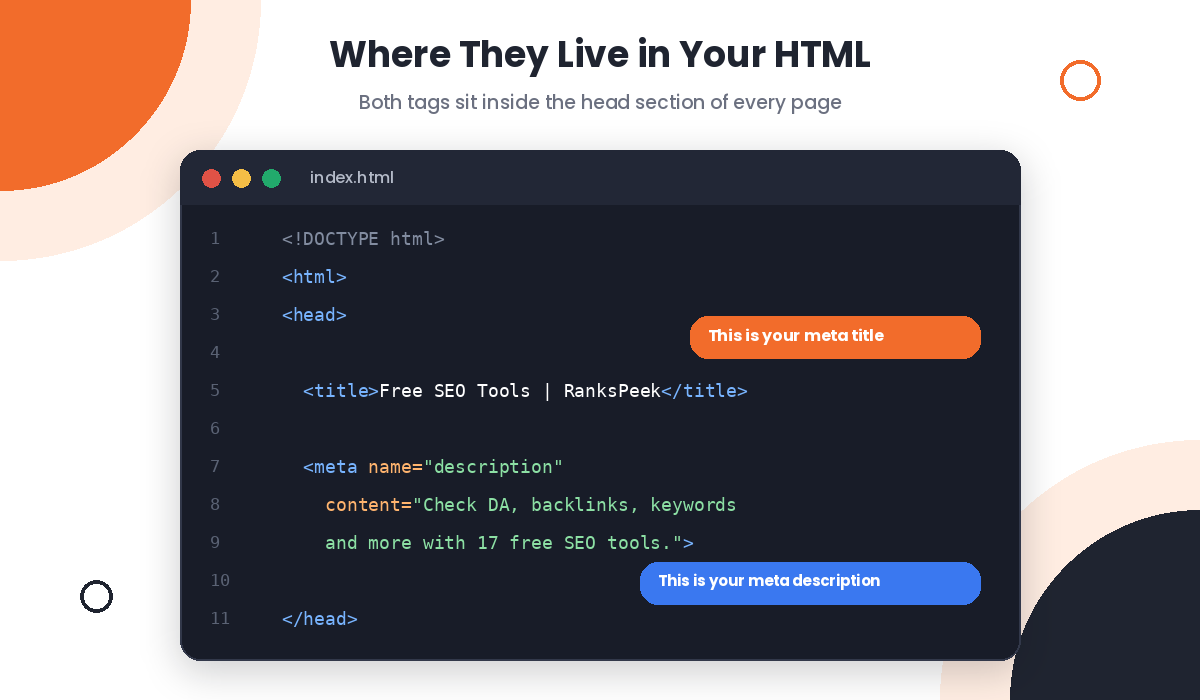
The meta title, also called the title tag or SEO title, is an HTML element that names your page. Google shows it as the blue clickable headline in search results, browsers show it in the tab, and social platforms pull it when someone shares your link. In the code, it lives inside the head section of your page and looks like this:
<title>Your Page Title Here</title>
The meta title matters for SEO because Google reads it to understand your page’s topic, and searchers read it to decide whether your page answers their question. Consequently, it pulls double duty: a small ranking signal for machines and a headline for humans.
What Is a Meta Description in SEO?
The meta description is a short summary of your page that appears under the title in search results. Unlike the title, it sits inside a true meta tag in your HTML:
<meta name=”description” content=”Your summary here.”>
Here is the honest part that many guides skip: Google has confirmed that the meta description is not a ranking factor. However, it heavily influences your click-through rate, and more clicks mean more traffic from the same rankings. So while it will not lift your position, it decides how much value you squeeze out of the position you already have.
Meta Title and Meta Description: The Key Differences
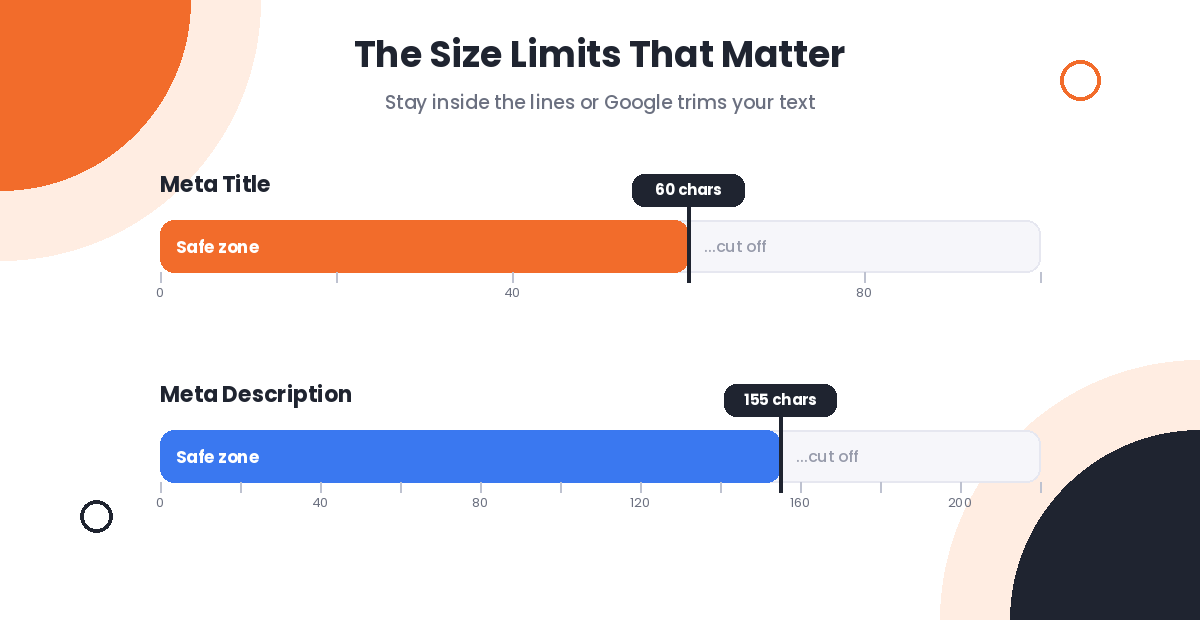
People often mix the two up, so here is the clean separation. The meta title is the headline: short, keyword-focused, and a direct ranking signal. The meta description is the pitch: longer, benefit-focused, and a click driver rather than a ranking factor. The title fits about 60 characters before Google cuts it off, while the description fits about 155. Additionally, the title appears in browser tabs and social shares, whereas the description mostly lives in search results only.
Think of a search result like a shop window. The meta title is the sign above the door, and the meta description is the display that convinces people to walk in. You need both working together, because a great sign with an empty window still loses customers.
How to Write a Meta Title That Ranks
First, give every page a unique title, because duplicate titles confuse both Google and searchers. Second, place your main keyword near the beginning, where it carries the most weight and catches the eye fastest. Third, stay under 60 characters so nothing gets cut off, especially on mobile screens.
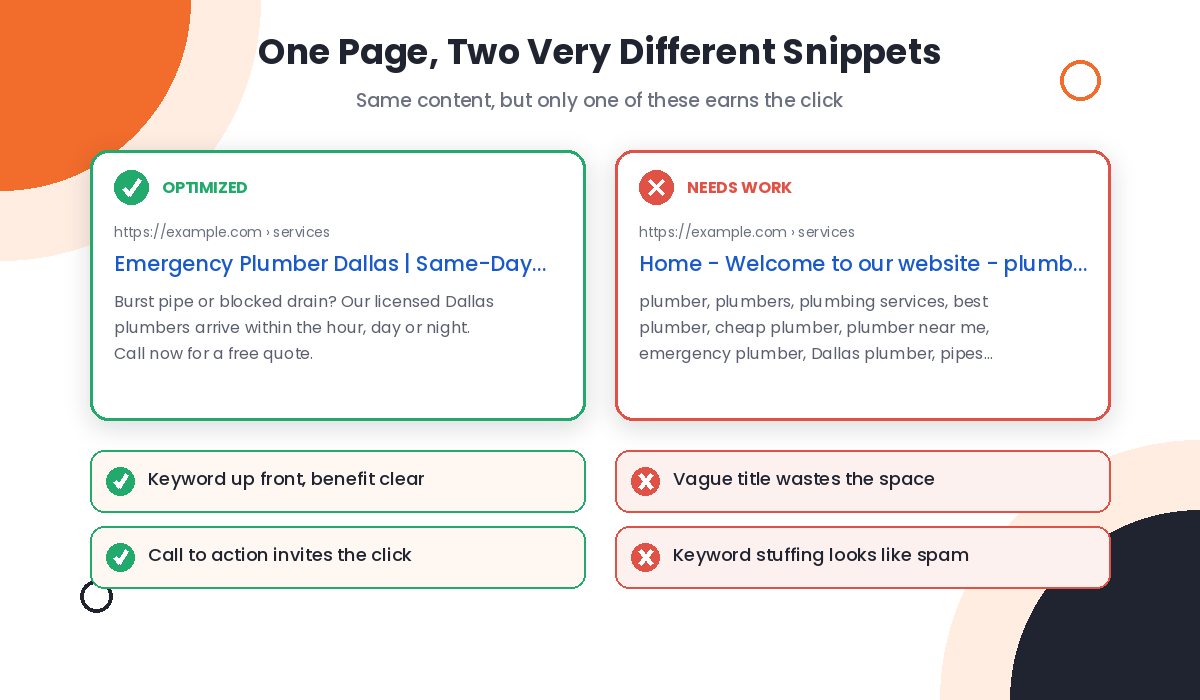
Beyond the basics, describe the page accurately instead of chasing clicks with exaggeration, since misleading titles increase bounces and erode trust. Also, add your brand name at the end of important pages, separated by a pipe or dash, for example “Free SEO Tools | RanksPeek”. Finally, never stuff keywords: “SEO tools, best SEO tools, free SEO tools online” reads like spam to everyone, including Google.
Not sure which keyword deserves the front spot? Run your topic through our free Keyword Generator to compare options, or use the Long Tail Keyword Research tool to find a specific phrase with less competition.
How to Write a Meta Description That Gets Clicks
Write your description like a one-sentence sales pitch. Lead with the benefit, mention your keyword once because Google bolds matching words in the snippet, and end with a soft call to action such as “Learn how” or “Try it free”. Meanwhile, keep it under 155 characters and use active voice, since “Discover the fastest fixes” beats “The fastest fixes can be discovered” every single time.
Additionally, match the description to search intent. A how-to searcher wants to see steps and simplicity, while a buyer wants specifics like price, features, or a guarantee. Therefore, one template for every page never works as well as descriptions tailored to what each page actually delivers.
Why Google Rewrites Your Meta Title and Meta Description
Sometimes you write a perfect pair and Google shows something else. This happens by design: when Google believes different text from your page explains the result better for a specific query, it swaps your title or description for that text. Google’s own title link documentation lists the common triggers, and they include titles that are too long, stuffed with keywords, duplicated across pages, or simply unrelated to the query.
The fix is prevention. Well-written, accurate, unique tags survive far more often than lazy ones, and Google states that most pages keep their original title. So if you notice constant rewrites on a page, treat it as feedback: the tag probably needs another pass.
How to Add a Meta Title and Meta Description in WordPress
WordPress does not include meta tag fields by default, so an SEO plugin like Yoast handles it. Open any post or page, scroll to the Yoast panel below the editor, and click the SEO tab. There you will find the SEO title and meta description fields, along with a live preview of how your snippet will appear in results. Fill both, watch the preview bar stay green for length, and update the page.
After publishing, verify what search engines actually see, because plugins, themes, and caching can occasionally interfere. Paste your URL into our free Meta Tags Analyzer and it shows the exact title, description, and robots tags your page serves, with length checks included. For a site-wide view, our SEO Checker flags missing or weak meta tags along with other on-page issues in one scan.
What Changed for Meta Tags in 2026
AI Overviews changed the job of the meta title and meta description this year. Since AI answers now sit above classic results for many searches, fewer clicks go around, and the results that do win clicks are the ones with sharp, specific snippets. In other words, average meta tags cost you more traffic in 2026 than they did before, because the competition for each remaining click is tighter.
Additionally, clear metadata helps AI systems summarize and cite your pages correctly. A precise title and an accurate description make it easier for both Google’s AI features and other answer engines to understand what your page covers, so the old best practices now serve a second purpose. Nothing about the fundamentals changed; the price of ignoring them went up.
Frequently Asked Questions
What is the difference between a meta title and an H1?
The meta title appears in search results and browser tabs, while the H1 is the visible headline on the page itself. Keep them closely related but not identical: the title wins the click, and the H1 confirms the visitor landed in the right place.
Is the meta description a ranking factor?
No. Google has confirmed it does not use the meta description for rankings. However, a compelling description raises your click-through rate, and more clicks from the same position mean more traffic, so it still earns its place in your SEO work.
What is the ideal length for a meta title and meta description?
Keep the meta title under 60 characters and the meta description under 155 characters. Longer text gets cut off with an ellipsis in results, and truncated snippets usually win fewer clicks.
Should every page have a unique meta title and meta description?
Yes, without exception. Duplicate tags make your pages compete with each other and push Google to rewrite your snippets. Unique tags for every page take effort, but they pay for themselves in clicks.
How do I check the meta tags on my website for free?
Paste any URL into our free Meta Tags Analyzer. It shows your live title, description, and robots tags in seconds, flags length problems, and works without any signup.
Your meta title and meta description are the cheapest SEO wins on your site, because fixing them takes minutes and pays every day. Start with your most important pages, check them with the free Meta Tags Analyzer, and explore all 17 free tools on RanksPeek to keep climbing.
The RanksPeek Team builds free SEO tools that help website owners check authority, backlinks, keywords, speed and more, with no signup needed. Explore all 17 free tools →